


What Are the Best SEO Traffic Tools to Grow Your Website?
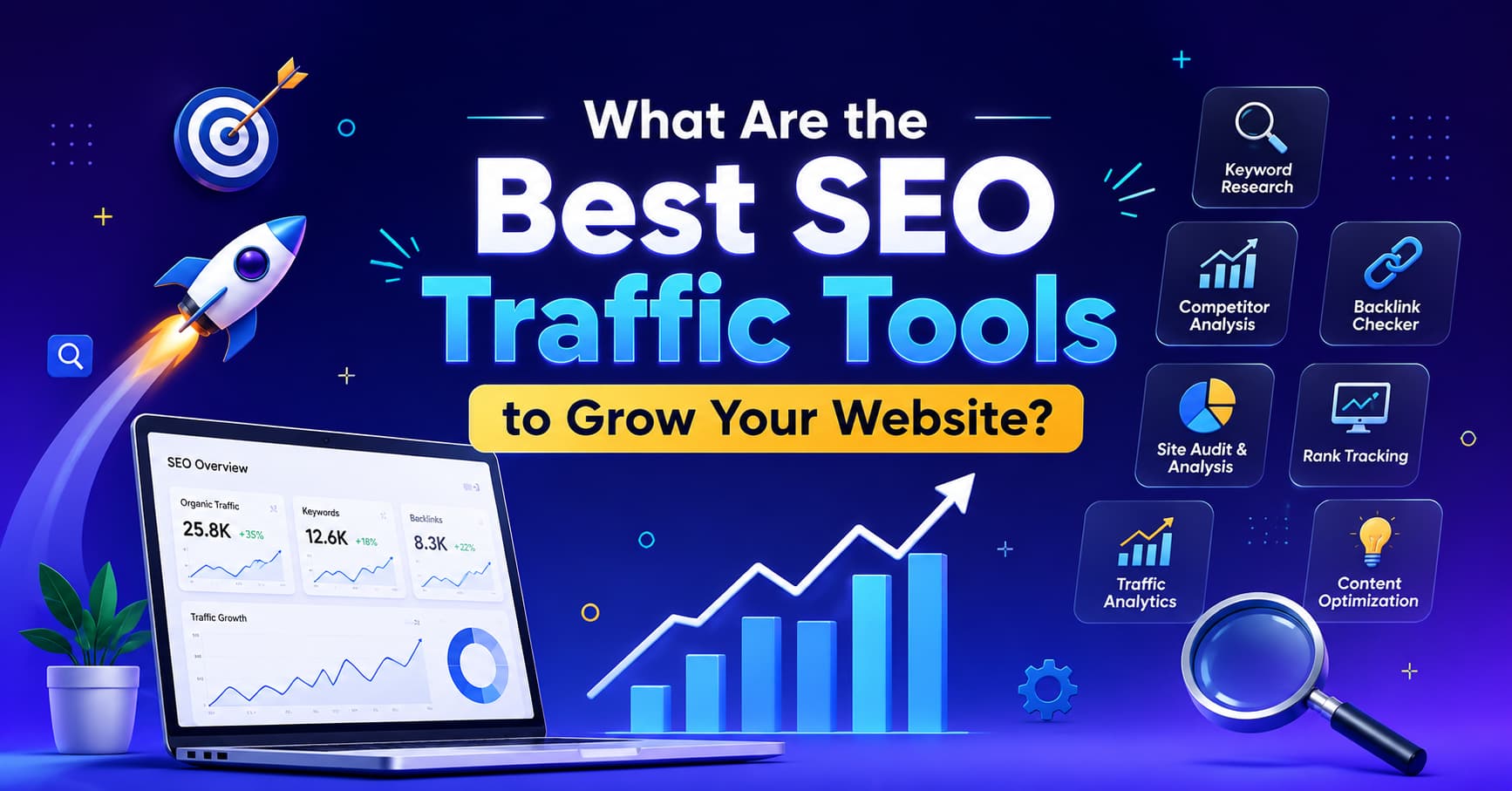
SEO traffic tools are software platforms that help you find out how many people visit a website, where those visitors come from, and which keywords or pages drive that traffic. They combine data crawling, search engine indexes, and analytics to show you what’s working and what isn’t. Marketers, bloggers, and business owners use them to grow organic (unpaid) traffic instead of guessing.
If you’ve ever wondered why one blog post gets 50,000 visits a month while another sits at zero, the answer usually lives inside one of these tools. Instead of guessing why a competitor outranks you, or hoping a new blog post will magically attract readers, you can open a dashboard and see the exact keywords, backlinks, and pages responsible for their traffic. That’s the entire point of this category of software, turning invisible search engine behavior into something you can actually read, measure, and act on.
This guide is written for people who are new to the topic but serious about growing a website. We’ll cover what these tools are made of, the different types available, how they work under the hood, honest pros and cons, how they differ from tools people often confuse them with, and a full Q&A covering the questions people search for most. By the end, you’ll have a clear checklist for getting started, plus a list of tools worth trying first.
Why SEO Traffic Tools Matter in the First Place
Before diving into the mechanics, it’s worth understanding why this category of software exists at all. Search engines like Google don’t publish exact traffic numbers for websites. There’s no public page where you can type in a URL and see “this site got 42,000 visits last month.” That information technically lives inside each website owner’s private Google Analytics account, which nobody else can see.
SEO traffic tools solve this problem by building their own independent models. They crawl the web constantly, track search rankings across millions of keywords, and use statistical models (built from clickstream data, browser panels, and historical patterns) to estimate what real traffic probably looks like. It’s not perfect, but it’s often surprisingly close, and it’s the only way to get visibility into a competitor’s performance, or to plan your own content strategy around real search demand instead of guesswork.
Without these tools, growing a website organically would mean publishing content blindly and waiting months to see whether it worked. With them, you can validate a topic’s demand, check how hard it will be to rank, see who’s already winning, and track your own progress daily instead of quarterly.
The Main Parts of SEO Traffic Tools
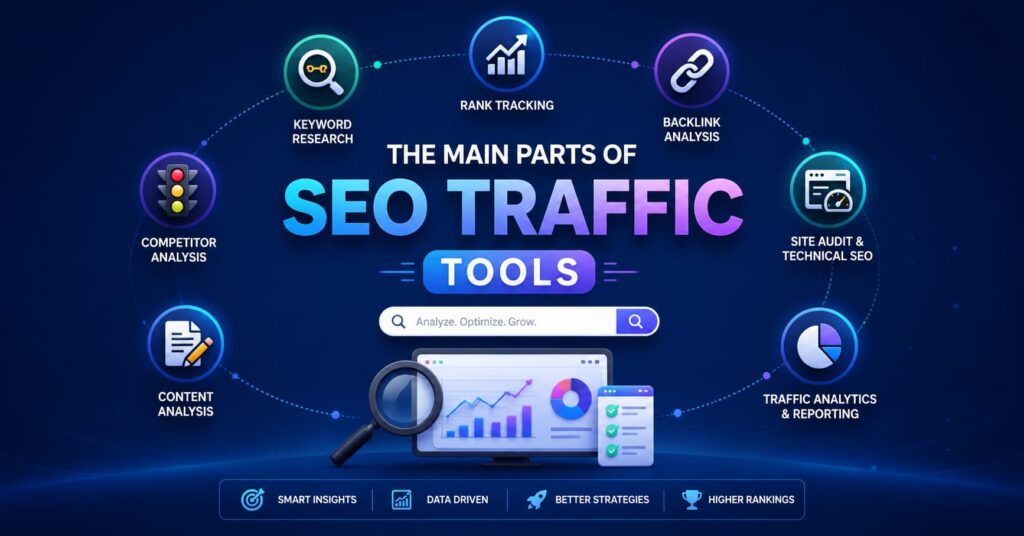
Most SEO traffic tools are built from the same core components, just packaged differently under different brand names. Once you understand these building blocks, you can compare any tool new or established by simply checking which of these boxes it covers, instead of getting swayed by marketing language.
Think of it like buying a car. Every SEO traffic tools marketing page will use different words to describe itself, but underneath, they’re all assembled from the same handful of engine parts. Some tools bundle every part into one expensive suite; others specialize in just one or two and charge less. Knowing the parts means you’ll never overpay for features you don’t need, and you’ll never underestimate what a “free” tool is missing.
1. Keyword Research Engine
This part tells you what people are typing into Google, how often, and how hard it is to rank for. It’s usually the very first thing anyone touches when they open an SEO traffic tools , because it answers the most basic question in this entire field: “Are people even searching for this?”
A good keyword research engine the kind found in most reliable SEO traffic tools doesn’t just spit out a single number. It should show you clusters of related phrases, seasonal spikes (like “gift ideas” surging every November), and the actual questions people ask around a topic. The best SEO traffic tools pull this data from real search engine query logs and clickstream panels, not just guesswork, which is why volume numbers can vary between different SEO traffic tools by a noticeable margin.
Checklist:
- Shows monthly search volume
- Shows keyword difficulty score
- Suggests related/long-tail keywords
- Shows search intent (informational, commercial, etc.)
- Updates data regularly (not stale by months)
2. Backlink Analysis
This shows which websites link to a page, since backlinks are still one of the strongest ranking signals Google uses to decide who deserves to rank near the top. Think of a backlink like a vote of confidence: if ten respected news sites link to your article, Google treats that as a strong signal that your content is trustworthy and worth showing to more people.
Backlink analysis tools work by crawling the web the same way a search engine bot does, following every link they find and recording where it points. Over time, this builds a massive database Ahrefs, for example, has publicly stated its link index tracks trillions of known links across the web. This is also the part of the tool most people use to “reverse-engineer” a competitor: if you can see every site linking to their top-ranking page, you now have a prospecting list of sites that might link to your page too.
Checklist:
- Total number of referring domains
- Link quality/authority score
- New vs. lost backlinks over time
- Anchor text breakdown
- Competitor backlink comparison
3. Traffic Estimation
This estimates how much traffic a website or page gets, even if you don’t own it which is the single most requested feature in this entire category, because it lets you peek behind the curtain of any competitor without needing access to their private analytics.
Traffic estimation works by combining a site’s known keyword rankings with average click-through-rate data for each ranking position. If a tool knows a page ranks #3 for a keyword with 10,000 monthly searches, and historical data shows position #3 typically captures around 8-10% of clicks, it can estimate roughly 800-1,000 visits a month from that single keyword. Multiply that across every keyword a page ranks for, and you get a full traffic estimate. This is the exact mechanism behind the popular Ahrefs traffic checker feature, and it’s also how tools like SimilarWeb build their competitive traffic reports, though SimilarWeb blends in additional panel and clickstream data on top of keyword-based modeling.
Checklist:
- Estimated monthly organic traffic
- Top pages by traffic
- Top keywords driving traffic
- Traffic trend over time (up/down)
- Country/device breakdown
4. Site Audit / Technical SEO
This is one of the most critical components inside SEO traffic tools, since it scans your site for problems that block search engines from ranking you well, even if your content itself is excellent. It’s easy to forget that great writing means nothing if a search engine’s crawler can’t actually access, read, or understand your page.
A site audit tool a core feature of most SEO traffic tools, essentially clones what Googlebot does: it visits every page on your site, follows every internal link, checks how fast pages load, and flags anything that looks broken or duplicated. Many site owners are shocked to discover,after running their first audit through SEO traffic tools, that dozens of pages were accidentally blocked from search engines by a stray line in a robots.txt file, or that half their images were missing basic alt text. These are exactly the kinds of silent, invisible problems this component is designed to catch.
Checklist:
- Crawl errors and broken links
- Page speed issues
- Duplicate content flags
- Mobile-friendliness check
- Indexability issues (noindex tags, robots.txt problems)
5. Rank Tracking
This is one of the most actively used features in SEO traffic tools, monitors where your pages sit in search results for target keywords, day by day, so you’re never caught off guard by a sudden drop in traffic. Without rank tracking, the first sign of a problem is usually a drop in revenue or leads weeks later by which point you’ve lost valuable time diagnosing the cause.
Rank trackersa standard module across most SEO traffic tools, work by running automated searches for your target keywords from various locations and devices, then logging exactly where your page shows up each time. Over weeks and months, this builds a trend line that tells a much richer story than a single snapshot ever could. A page that’s slowly climbing from position 15 to position 8 over two months is a very different situation than a page that jumped to position 3 overnight and then vanished from the results entirely and only a rank tracking inside good SEO traffic tools will show you which one is actually happening.
Checklist:
- Daily or weekly position tracking
- Local vs. national rank tracking
- SERP feature tracking (featured snippets, People Also Ask)
- Historical ranking graphs
- Alerts for big ranking drops or gains
6. Website Traffic Analysis Dashboard
This is where everything comes together into readable reports inside SEO traffic tools, often called website traffic analysis, showing sessions, bounce rate, and conversion paths in one place instead of scattered across a dozen browser tabs. This is usually the component people open most often day-to-day SEO traffic tools, since it answers the practical question: “How is my site actually doing right now, and where should I focus next?”
A strong website traffic analysis dashboard, the kind built into the best SEO traffic tools doesn’t just show raw numbers it shows context. Instead of just “1,200 visitors yesterday,” it should tell you that 800 of those came from organic search, 300 from social media, and 100 direct, and that the organic number is up 15% from the same day last month. That kind of context is exactly what separates basic analytics from genuinely useful SEO traffic tools, what turns a wall of numbers into an actual decision you can make, like doubling down on the content type or channel that’s clearly working.
Checklist:
- Real-time visitor count
- Traffic source breakdown (organic, paid, social, direct)
- User behavior flow (pages visited in order)
- Conversion/goal tracking
- Exportable reports
6 Types of SEO Traffic Tools (With Use-Cases)
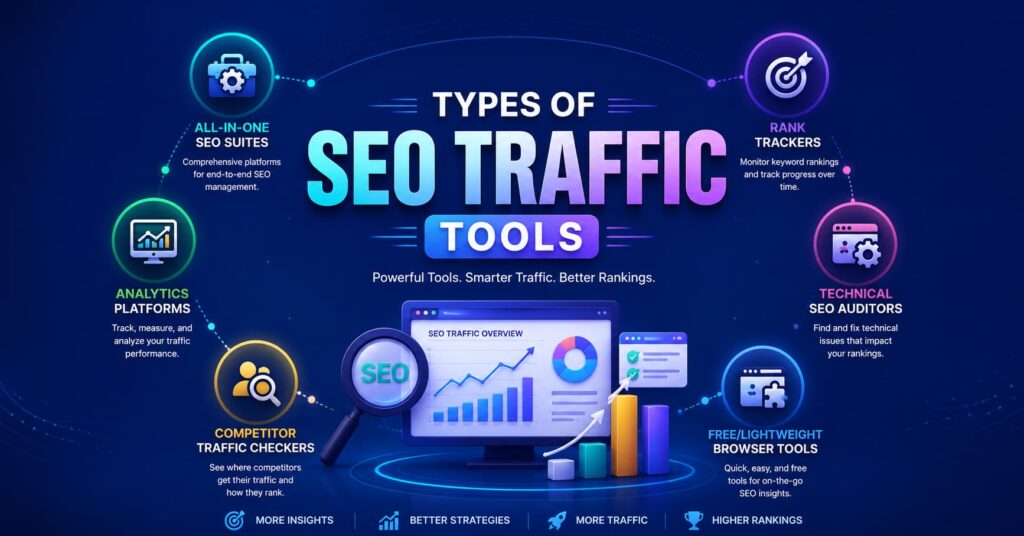
Not every tool does everything, and that’s actually a good thing it means you can pick a tool that matches your budget and goal instead of paying for an all-in-one suite you’ll only use 20% of. Here’s how they typically split by purpose, along with realistic examples of who each type is actually built for.
1. All-in-One SEO Suites
Tools like Ahrefs, Semrush, and Moz bundle keyword research, backlinks, rank tracking, and site audits into one dashboard, so you’re not juggling five different logins and five different sets of numbers that don’t quite agree with each other. These platforms are usually the most expensive tier in this category, but they save enormous time because everything lives under one roof and cross-references the same underlying data.
Best for: agencies managing multiple clients, in-house marketing teams, and any business serious enough about SEO to justify a monthly subscription in the hundreds of dollars. If you’re managing more than one website, or reporting SEO traffic tools performance to a boss or client regularly, an all-in-one suite usually pays for itself in saved hours.
2. Analytics Platforms
Tools like Google Analytics 4 (GA4) and Matomo focus purely on what happens after a visitor lands on your site not how they found you through search, but what they actually did once they arrived. This includes how long they stayed, which pages they viewed, whether they clicked a “buy now” button, and where exactly they dropped off.
Best for: understanding user behavior rather than keyword strategy. If your biggest question is “people are visiting, but why aren’t they buying?” this is the category that answers it SEO traffic tools alone can’t tell you what happens after the click.
3. Competitor Traffic Checkers
Tools built specifically to estimate a rival’s traffic, like SimilarWeb or the Ahrefs traffic checker feature, exist purely to satisfy one very common question: “How much traffic is my competitor actually getting, and where is it coming from?” These tools don’t need you to own the website you’re analyzing that’s the entire point of them.
Best for: market research before entering a new niche, validating whether a competitor’s strategy is actually working before you copy it, and benchmarking your own site’s traffic against direct rivals in your industry.
4. Rank Trackers
Standalone tools like AccuRanker or SERPWatcher that only track keyword positions over time, without the extra weight of a full SEO suite. These are lighter, often cheaper, and built for people who already know their keyword strategy and just want a clean, focused way to monitor it daily.
Best for: agencies reporting weekly rank changes to clients, or solo SEOs who already have a keyword list locked in and want fast, reliable position tracking without paying for features they won’t touch.
5. Technical SEO Auditors
Tools like Screaming Frog or Sitebulb are a category of SEO traffic tools that crawl your site like a search engine bot does, page by page, flagging anything that could quietly be hurting your rankings behind the scenes. Compared to other SEO traffic tools, These tools are less about strategy and more about hygiene making sure nothing technical is silently sabotaging your efforts.
Best for: finding broken links, duplicate pages, and crawl budget waste on large sites, especially e-commerce stores or content sites with thousands of pages where manual checking simply isn’t realistic.
6. Free/Lightweight Browser Tools
Chrome extensions like MozBar or Keywords Everywhereare a lightweight entry point into SEO traffic tools, give quick, surface-level data without a full subscription, right inside your browser as you search or browse competitor sites. They won’t replace a full suiteof SEO traffic tools, but they’re excellent for quick sanity checks.
Best for: beginners or casual users who aren’t ready to invest in full SEO traffic tools yet, and just want a fast way to glance at a page’s authority or a keyword’s rough search volume while browsing normally.
How SEO Traffic Tools Actually Work (Step by Step)
Follow Us Instagram
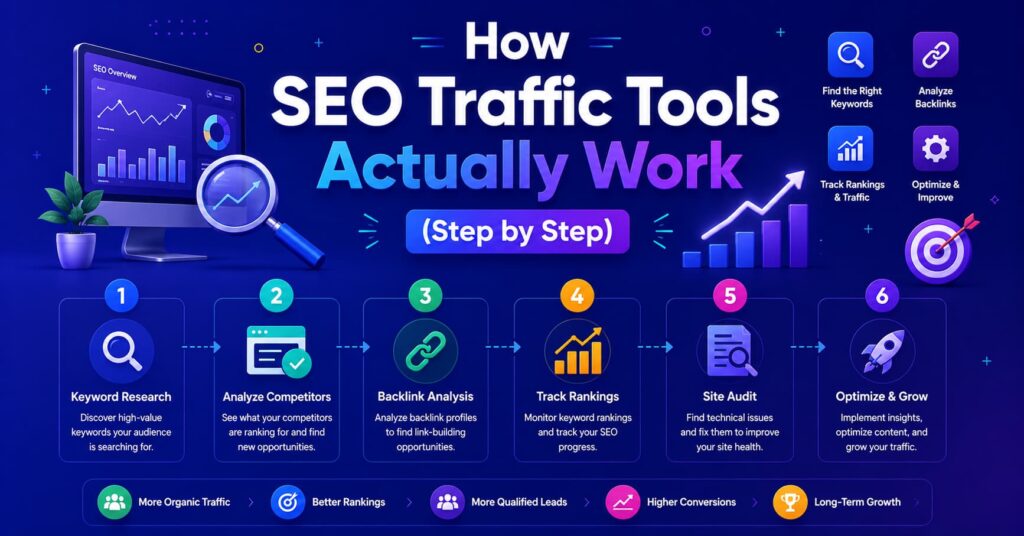
It helps to understand what’s actually happening behind the scenes each time you type a domain into one of these tools and hit “analyze.” Here’s the simplified process behind almost every tool in this category, broken down into the six stages that turn raw internet data into the report you see on screen.
- Crawling:- The tool sends out bots (similar to Googlebot) that scan billions of web pages, following links from one page to another, the same way you’d click through a website by hand, except at massive scale and speed. These crawlers revisit popular sites frequently sometimes every few hours and revisit smaller, less popular sites much less often, which is one reason data can lag for niche websites.
- Indexing data:- Everything the crawler finds links, keywords, page titles, headings, load times, image alt text, and more gets stored in a massive database that the tool’s engineers behind SEO traffic tools organize and clean up. This step alone requires enormous server infrastructure, which is part of why full SEO traffic tools suites cost what they do; they’re maintaining databases with billions or trillions of data points, updated continuously.This is also the stage where the real difference between free and paid SEO traffic tools becomes obvious, since indexing at this scale simply isn’t possible without serious backend investment. Any comparison of SEO traffic tools ultimately comes down to how well-maintained and current this underlying index actually is.
- Cross-referencing search engines:- The tool pulls in real search result data (SERPs) by running its own automated searches across thousands of keywords, recording exactly which pages show up and in what order. This is how the tool knows, for any given keyword, who’s currently winning and who’s losing in the search results data that changes constantly as Google updates its algorithm and competitors publish new content.
- Estimating traffic:- Using click-through-rate models (roughly, position #1 might capture 25-30% of clicks for a keyword, while position #10 might capture under 3%), SEO traffic tools estimates how much traffic a ranking keyword sends to a page. This is one of the most technically demanding calculations SEO Traffic Tools perform, since it repeats this process across every keyword a page ranks for, then adds them all together to produce a total estimated traffic number for that page or domain. The accuracy of this estimate is often what separates trustworthy SEO Traffic Tools from ones with wildly inflated numbers, which is why understanding the CTR model behind any SEO Traffic Tools platform matters before you trust its traffic figures for business decisions.
- Aggregating into dashboards:- All this raw data gets turned into charts, scores, and lists you can actually read, instead of forcing you to dig through spreadsheets of raw numbers. This is the layer most users interact with directly the graphs, the color-coded scores, the “top pages” lists and it’s where good tools differentiate themselves through clean, intuitive design.
- You take action:- You use the dashboard to find keyword gaps, fix technical errors, or study competitors, then measure results over time by returning to the same reports weeks or months later. This feedback loop research, act, measure, adjust is really the whole point of the tool; the data itself doesn’t grow your traffic, what you do with it does.
This is why two tools can show noticeably different traffic numbers for the exact same site they crawl on different schedules, sample from different data sources, and use their own proprietary estimation models. Rather than treating any single number as gospel, most experienced marketers use two or three tools side by side and look for agreement in the overall trend, not the exact figure.
Pros and Cons of SEO Traffic Tools (Honest Breakdown)
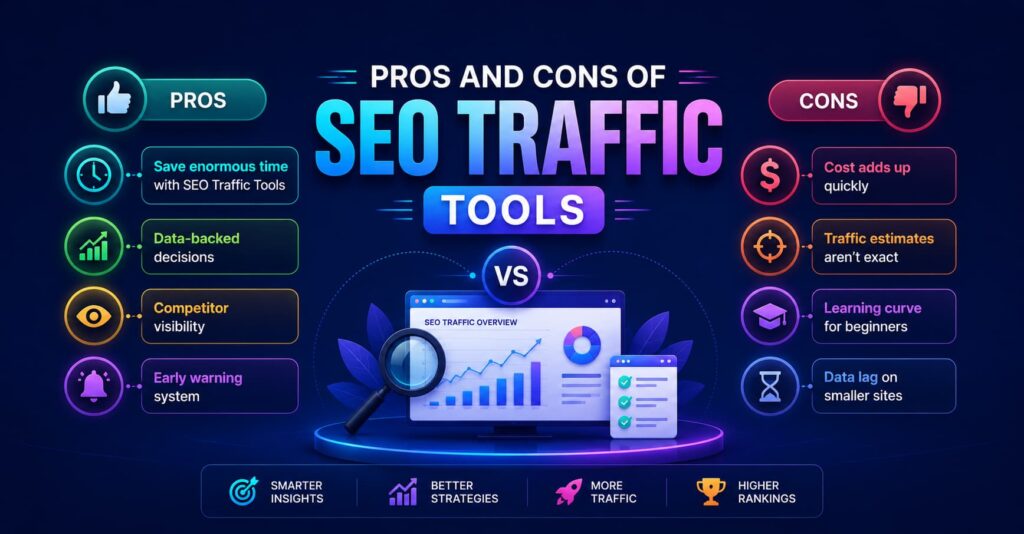
No tool in this category is perfect, and any article that only lists benefits isn’t giving you the full picture. Here’s an honest look at both sides, based on how these tools actually perform in day-to-day use.
Pros
- Save enormous time with SEO Traffic Tools: Manually checking rankings for 100 keywords across multiple search engines would take hours every single week; tools do it in seconds and can run automatically overnight.
- Data-backed decisions: You stop guessing which content topics to write about and start prioritizing topics with confirmed search demand, which dramatically improves your odds of the content actually getting found.
- Competitor visibility: Among SEO traffic tools Ahrefs has publicly described its link index as tracking trillions of known links and refreshing crawl data for popular sites very frequently, which gives a genuinely large sample size for comparing your site against competitors.
- Early warning system: The right SEO Traffic Tools particularly rank trackers can alert you within a day if a page drops out of the top 10, giving you a chance to investigate and fix the issue before it shows up as a real drop in leads or revenue weeks later.
- Uncovers hidden technical problems: Site audit tools frequently surface issues broken links, slow-loading pages, missing meta tags that would otherwise go unnoticed for months or years, quietly capping a site’s growth the entire time.
- Levels the playing field: Smaller businesses and independent bloggers can use the same competitive intelligence that large enterprises use, since most of these tools are available to anyone willing to pay the subscription fee, or even use the free tiers.
Cons
- Cost adds up quickly: Full-featured suites often run $99–$250 per month for small business tiers, and $400+ per month for agency-level plans with higher data limits, which is a real budget concern for solo bloggers or very early-stage startups.
- Traffic estimates aren’t exact: Third-party tools estimate competitor traffic using models rather than direct analytics access, so numbers can realistically be off by 20-50% in either direction, especially for smaller or less-crawled websites.
- Learning curve for beginners: Dashboards for many SEO traffic tools are packed with dozens of metrics domain rating, keyword difficulty, traffic value, referring domains can genuinely overwhelm total beginners in the first few weeks, before the terminology starts to click.
- Data lag on smaller sites: With most SEO traffic tools Some metrics update weekly or monthly rather than instantly, so very recent content changes or new backlinks may not show up in reports right away, a limitation of SEO traffic tools particularly on lower-traffic websites that get crawled less frequently.
- Tool overlap and redundancy: Many users end up paying for two or three overlapping subscriptions before realizing most of the core data (keyword volume, backlink counts) is similar across tools, just presented differently.
- False confidence risk: Because the data from SEO traffic tools looks precise (an exact number like “14,203 monthly visitors”), it’s easy to forget these are estimates and treat them as hard facts when making business decisions.
How This Differs From Similar Topics People Mix Up
One of the most common sources of confusion for beginners is assuming every tool that mentions “traffic” does the same job. They don’t. Here’s a detailed breakdown of the topics people most often mix up with SEO traffic tools, and how each one is actually different.
| Topic | What It Actually Is | Common Confusion |
| SEO traffic tools | Tools that estimate and analyze search-driven visits, including for websites you don’t own | Confused with general web analytics because both use the word “traffic” |
| Website traffic analysis | The practice of studying visitor data from any source, not just SEO | People think it’s the same as SEO traffic tools, but it includes paid ads, social, email, and referral traffic too |
| PPC/ad tools | Tools for paid search campaigns, like Google Ads and Bing Ads | People assume SEO traffic tools also manage ad spend and bidding — they don’t; SEO and PPC are separate disciplines with separate tools |
| Web analytics (GA4) | Tracks on-site behavior of your own confirmed visitors, in real time | Mixed up with SEO tools because both show “traffic” numbers, but GA4 can’t tell you anything about a competitor’s site |
| Ahrefs traffic checker | A specific feature that estimates any domain’s organic traffic, even ones you don’t own or manage | People confuse it with GA4, which only ever works on sites you personally control and have installed tracking code on |
| Rank tracking | Monitoring keyword positions in search results over time | Often mistaken for full SEO auditing, but it’s genuinely just one slice of the bigger picture |
| Local SEO tools | Tools focused specifically on Google Business Profile, local map rankings, and reviews | People assume general SEO traffic tools cover local search the same way, but local SEO relies on a different ranking system (the “map pack”) |
| Content/SEO writing tools | Tools like Surfer SEO or Clearscope that help optimize the wording of a specific page | Confused with keyword research tools, but these focus on on-page optimization of content you’ve already decided to write |
The simplest way to remember the core distinction: SEO traffic tools estimate and predict, using crawled and modeled data about the entire web, including sites you don’t own. Meanwhile, your own analytics platform, like GA4, measures actual, confirmed visits to your specific website, using tracking code installed directly on your pages. One looks outward at the whole competitive landscape; the other looks inward at your own confirmed numbers.
Q&A: Common Questions People Search For
Q: What is the best free SEO traffic tool?
Google Search Console is free, official, and shows your actual search performance data directly from Google, no estimation needed, since it’s pulling straight from Google’s own records of your site. It shows exactly which queries your pages appear for, your average position, and your click-through rate, which is genuinely more accurate than any third-party estimate for your own site. Ubersuggest and Google Trends also offer solid free tiers for keyword ideas and seasonal search interest, though they won’t replace a full paid suite for competitor research.
Q: How accurate are traffic estimation tools like Ahrefs or SimilarWeb?
They’re estimates, not exact counts, since third-party tools don’t have direct access to any site’s real, private analytics data. Accuracy tends to be noticeably better for high-traffic, well-established sites with lots of crawlable history, and less reliable for very small or brand-new sites with under a few thousand monthly visits, simply because there’s less data available to build an accurate model from. As a rule of thumb, treat these numbers as a strong directional signal “this competitor is roughly 5x bigger than us” rather than a number you’d report to an accountant.
Q: Can I check a competitor’s website traffic without their permission?
Yes that’s exactly what tools like the Ahrefs traffic checker and SimilarWeb are built for, and it’s completely standard, legal practice across the entire marketing industry. They estimate traffic using publicly crawled data along with panel and clickstream data, not any kind of private analytics access, so no permission is needed and no laws are being broken. This is one of the most valuable use-cases of the entire category, since it lets you validate whether a market or niche is actually worth entering before you invest time and money into it.
Q: Do I need both an SEO tool and Google Analytics?
Ideally, yes, because they answer two completely different questions. SEO tools show you keyword opportunities, competitor data, and backlink profiles – essentially everything happening outside your website in the broader search landscape. Google Analytics (or GA4), on the other hand, shows exactly what your own confirmed visitors do once they land on your site, including which pages they view, how long they stay, and whether they complete a purchase or sign-up. Using only one of the two leaves a genuine blind spot in your strategy.
Q: How much do SEO traffic tools cost?
Free tools exist and are genuinely useful Google Search Console and Google Trends cost nothing and come directly from Google. Beyond the free tier, full-featured platforms typically range from $99 to $250 per month for small business plans, and $400+ per month for larger agency plans that include more keyword tracking slots, more data export credits, and multi-user access. Many suites also offer a discounted annual billing option, which can shave 15-20% off the monthly price if you’re committing long-term.
Q: What’s the difference between organic traffic and total traffic?
Organic traffic only counts visitors who arrived through unpaid, natural search engine results, someone typed a query into Google and clicked your listing without you paying for that click. Total traffic is the bigger umbrella number, including organic traffic plus paid ads, social media clicks, direct visits (someone typing your URL directly), email campaign clicks, and referral traffic from other websites linking to you. When someone says “SEO traffic,” they almost always mean the organic slice specifically, not the whole pie.
Q: How long does it take to see traffic growth using these tools?
Most realistic timelines are 3–6 months for noticeable organic growth on a new or recently updated page, since search engines need time to crawl, index, and re-rank content, and rankings typically improve gradually rather than overnight. Highly competitive keywords in crowded industries can take even longer, sometimes 6-12 months, while low-competition, niche topics can occasionally show results in as little as a few weeks. The tools themselves don’t speed this timeline up they simply help you avoid wasting those months on the wrong keywords or a broken technical setup.
Q: Is website traffic analysis only useful for SEO?
No, website traffic analysis covers all channels a visitor might use to find you, not just search traffic. Businesses commonly use it to compare which channel SEO, paid ads, email, or social media brings in the most valuable visitors (meaning the ones most likely to actually buy or convert), which often reshapes where marketing budget gets spent going forward.
Q: Which SEO traffic tool should a total beginner start with?
Start with Google Search Console since it’s free, official, and directly tied to your own site’s real performance data, with zero guesswork involved. Once you’re comfortable reading that data, adding a free trial or entry-level plan of a broader tool like Semrush or Ahrefs is a natural next step, since it introduces keyword research and competitor analysis without overwhelming you with every feature at once.
Helpful Tools & Resources
Here’s a practical shortlist worth bookmarking, covering both free and paid options across every component discussed above.
- Ahrefs – one of the strongest backlink databases in the industry, plus the well-known Ahrefs traffic checker feature for estimating any domain’s organic traffic; also includes keyword research and rank tracking.
- Semrush – a true all-in-one suite with keyword research, competitor analysis, site audits, and rank tracking bundled together; often favored by agencies managing multiple client accounts.
- Google Search Console – completely free and comes directly from Google, showing your actual search queries, click-through rates, and indexing status; the single most trustworthy data source for your own site.
- Google Analytics 4 (GA4) – free, and the standard tool for tracking real visitor behavior once someone lands on your site, including conversions and user flow.
- SimilarWeb – best known for competitor and industry-wide traffic estimates, especially useful for comparing overall market share between multiple competitors at once.
- Ubersuggest – a budget-friendly keyword and traffic tool built with beginners in mind, offering a simplified interface compared to enterprise-grade suites.
- Screaming Frog – a downloadable technical site crawler that’s become an industry standard for auditing large websites and catching crawl errors, redirects, and duplicate content.
- Google Trends – a free tool for spotting rising or falling search interest over time, especially useful for catching seasonal trends before they peak.
- Keywords Everywhere – a lightweight, low-cost browser extension that overlays quick keyword volume and competition data directly on Google search results pages.
- Moz Pro – a longstanding SEO suite known particularly for its Domain Authority metric and beginner-friendly educational resources.
- AccuRanker – a dedicated rank tracking tool built for speed and accuracy, popular with agencies that need daily ranking updates across large keyword lists.
How to Get Started: Simple Checklist
You don’t need every tool on the list above, and you definitely don’t need to master all of them in week one. Here’s a realistic, step-by-step path for getting started without feeling overwhelmed.
- Set up a free Google Search Console account for your site and verify ownership
- Connect Google Analytics (GA4) to track real visitor behavior and conversions
- Pick one all-in-one tool (Ahrefs, Semrush, or a free alternative like Ubersuggest) to start keyword research
- Run a basic site audit to catch technical errors, broken links, slow pages, missing tags, early on
- Identify 10-20 target keywords based on realistic search volume and manageable difficulty scores
- Check 2-3 direct competitors’ estimated traffic and top-performing pages for content ideas
- Set up rank tracking for your priority keywords so you can catch changes early
- Build or update 2-3 pieces of content around your highest-opportunity keywords
- Review your traffic data weekly for the first month, then shift to monthly reviews once the routine feels manageable
- Revisit your competitor analysis every quarter, since rankings and strategies shift constantly
Growing website traffic isn’t about using every tool at once, it’s about picking one or two that match your budget and goals, and actually acting on the data instead of letting it pile up unused in a dashboard. Consistency over months, not a single perfect tool, is what actually moves the needle on organic growth.
Know more About Us

Hi, I’m Rufqha, the SEO Manager at AIBlogMind. I focus on building content strategies that help websites improve visibility, attract the right audience, and create sustainable organic growth. My expertise includes on-page SEO, keyword research, content optimization, and aligning SEO with user experience and business goals.