


6 Powerful AI Data Analysis Tools You Should Definitely Try
Imagine sitting in front of a mountain of spreadsheets, raw numbers, and confusing charts with no idea where to start. Sound familiar? If you’ve ever felt overwhelmed by data, you’re not alone. Millions of beginners and even experienced professionals struggle with making sense of complex information every single day.
Here’s the problem: traditional data analysis is slow, technical, and often requires a deep background in statistics or programming. Most people simply don’t have the time or the training to dig through datasets manually and pull out meaningful insights.
But here’s the good news: AI data analysis is changing everything.
Thanks to powerful new AI tools, you no longer need to be a data scientist to understand your data. AI data analysis makes it possible for anyone from a small business owner to a college student to ask questions in plain English, get instant answers, and make smarter decisions backed by real evidence. Whether you’re just starting out or looking to upgrade your workflow, AI data analysis tools are the single most important technology you can add to your toolkit right now.
In this article, we’re going to walk you through 6 powerful AI data analysis tools that every beginner should know about. We’ll cover what they do, how they help, where they fall short, and how to pick the right one for your needs. Let’s dive in.
What Is AI Data Analysis And Why Does It Matter?
AI data analysis refers to the use of artificial intelligence and machine learning algorithms to examine, clean, process, and interpret data automatically. Instead of manually sorting through rows and columns, AI data analysis software does the heavy lifting for you finding patterns, flagging anomalies, and generating visual reports in minutes.
This matters because we are living in a data-driven world. Every business decision, marketing strategy, financial plan, and research project depends on good data. But raw data alone is useless. You need AI data analysis to turn that raw information into clear, actionable insights.
AI data analytics takes this a step further. It doesn’t just show you what happened it helps you understand why it happened and what might happen next. That’s the power of predictive and prescriptive analytics, both of which are now accessible to beginners thanks to modern AI tools.
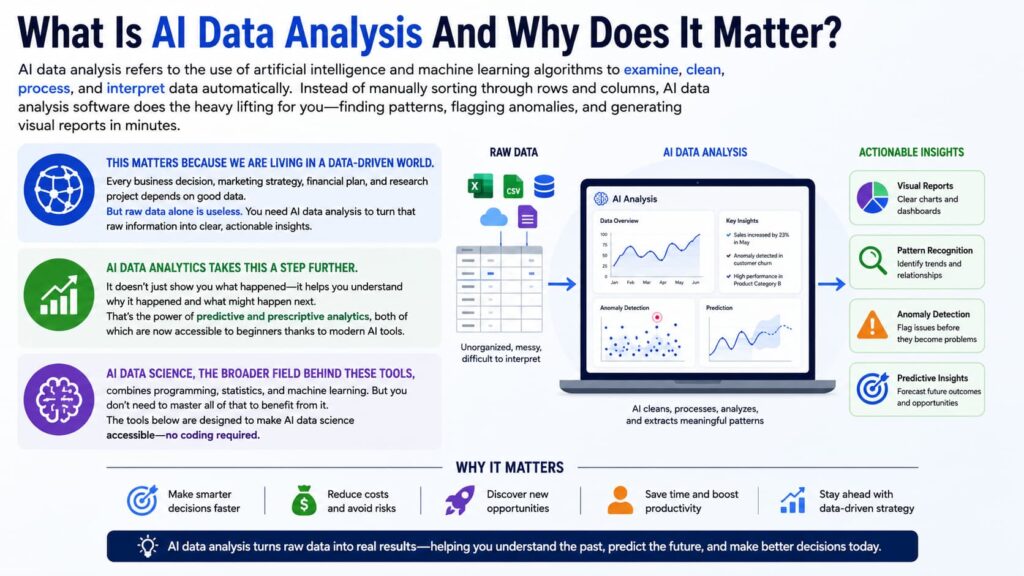
AI data science, the broader field behind these tools, combines programming, statistics, and machine learning. But you don’t need to master all of that to benefit from it. The tools below are designed to make AI data science accessible no coding required.
Benefits of AI Data Analysis Tools
Before we get to the list, let’s talk about why AI data analysis tools are worth your time and attention.
Speed and Efficiency AI data analysis can process thousands of rows of data in seconds. What used to take a team of analysts days or weeks can now be done in minutes. This speed is a game-changer for startups, freelancers, and businesses that need fast answers.
No Coding Required One of the biggest barriers to entry in traditional data analysis was the need to code in languages like Python or R. Modern AI data analysis platforms eliminate this barrier with drag-and-drop interfaces, natural language queries, and automated reporting. You can get deep insights without writing a single line of code.
Accuracy and Consistency Human analysts make mistakes especially when tired or working under pressure. AI data analysis removes much of the human error from the equation. Algorithms follow the same rules every time, producing consistent and reliable results.
Deeper Insights AI data analytics platforms don’t just summarize data they uncover hidden relationships and trends that human eyes might miss. With machine learning built in, these tools improve over time and get smarter as you feed them more data.
Accessibility for Beginners Perhaps the most exciting benefit is that AI data science is no longer locked behind expensive university degrees or complex software. Many of the best AI data analysis tools offer free plans, simple interfaces, and guided tutorials that make them perfect for beginners.
Cost Savings Hiring a team of data analysts is expensive. AI data analysis tools let small teams do the work of an entire analytics department at a fraction of the cost.
Limitations of AI Data Analysis Tools
No technology is perfect. Before you commit to an AI data analysis platform, it’s important to understand what these tools can’t do.
Data Quality Dependency AI data analysis is only as good as the data you put into it. Garbage in, garbage out if your data is messy, incomplete, or biased, even the best AI data analytics tool will produce misleading results. Cleaning your data before analysis is still an essential skill.
Lack of True Understanding AI data analysis tools are powerful, but they don’t truly “understand” your business context. They find patterns and correlations, but they can’t replace human judgment when it comes to interpreting what those patterns actually mean in the real world.
Over-reliance Risk Beginners who dive into AI data science tools without understanding the basics of data literacy may accept incorrect outputs without questioning them. It’s important to develop at least a foundational understanding of how data works so you can spot errors.
Privacy and Security Concerns Many AI data analysis platforms are cloud-based, which means your data is uploaded to external servers. For sensitive business or personal data, this can raise real privacy and compliance concerns.
Learning Curve for Advanced Features While the basics of most AI data analysis tools are beginner-friendly, unlocking the full power of these platforms custom models, API integrations, advanced visualizations often requires time, practice, and sometimes technical knowledge.
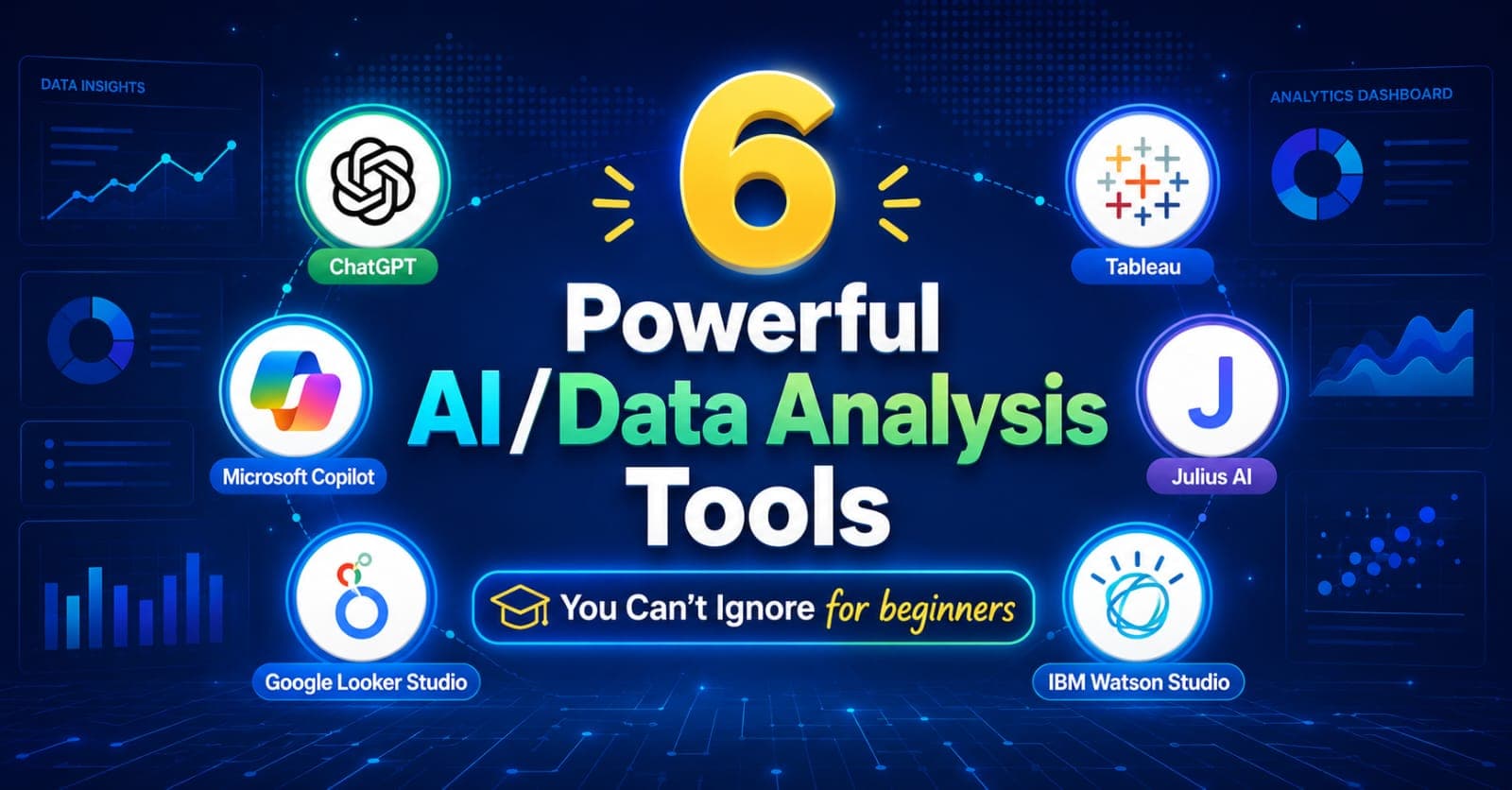
Top 6 Powerful AI Data Analysis Tools You Can’t Ignore for Beginners
Here are the six AI data analysis tools that stand out in 2025 for their power, ease of use, and beginner-friendliness.
1. ChatGPT with Advanced Data Analysis (OpenAI)
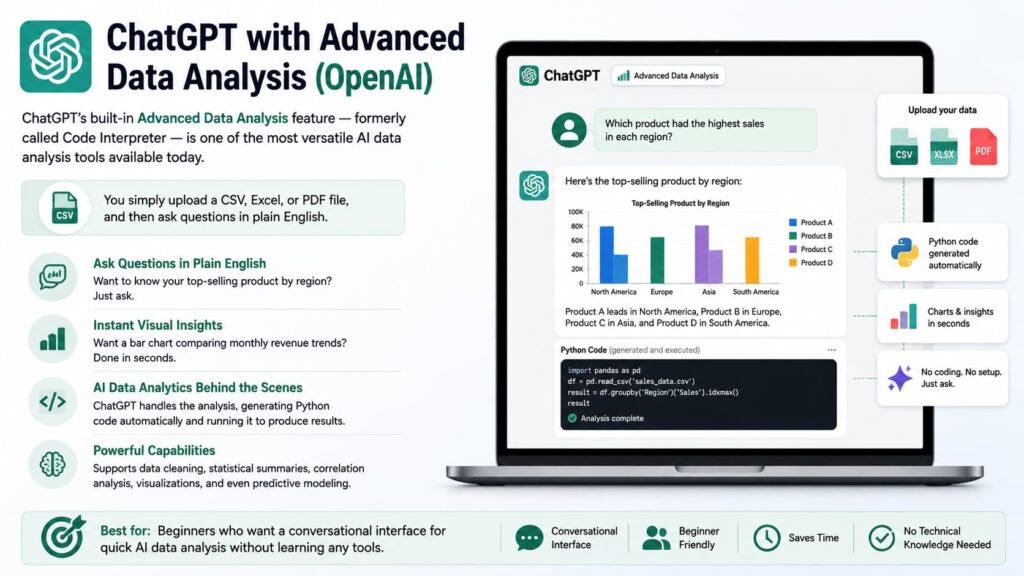
ChatGPT’s built-in Advanced Data Analysis feature formerly called Code Interpreter is one of the most versatile AI data analysis tools available today. You simply upload a CSV, Excel, or PDF file, and then ask questions in plain English.
Want to know your top-selling product by region? Just ask. Want a bar chart comparing monthly revenue trends? Done in seconds. ChatGPT handles the AI data analytics behind the scenes, generating Python code automatically and running it to produce results.
For beginners in AI data science, this tool is outstanding because there’s no setup required and no technical knowledge needed. You interact with your data like you’re having a conversation. It supports data cleaning, statistical summaries, correlation analysis, visualizations, and even predictive modeling.
Best for: Beginners who want a conversational interface for quick AI data analysis without learning any tools.
Pricing: Available on ChatGPT Plus ($20/month).
2. Microsoft Copilot for Excel
If you already live inside Microsoft Excel, then Microsoft Copilot is the AI data analysis upgrade you’ve been waiting for. Integrated directly into Excel, Copilot uses natural language prompts to help you analyze data, create formulas, generate pivot tables, and build charts all without leaving your spreadsheet.
AI data analytics inside Excel means you can type something like “Show me which sales rep had the highest performance last quarter” and Copilot will generate the answer automatically. It’s a seamless experience that feels natural for anyone already familiar with the Office suite.
For beginners exploring AI data science, Copilot is particularly valuable because it meets you where you already are. You don’t have to learn a new tool you just use Excel differently. It’s deeply integrated, reliable, and backed by Microsoft’s enterprise-grade infrastructure.
Best for: Beginners who already use Excel and want AI data analysis without switching platforms.
Pricing: Included with Microsoft 365 Copilot subscriptions (starts at $30/user/month for business plans).
3. Google Looker Studio (with Gemini AI)
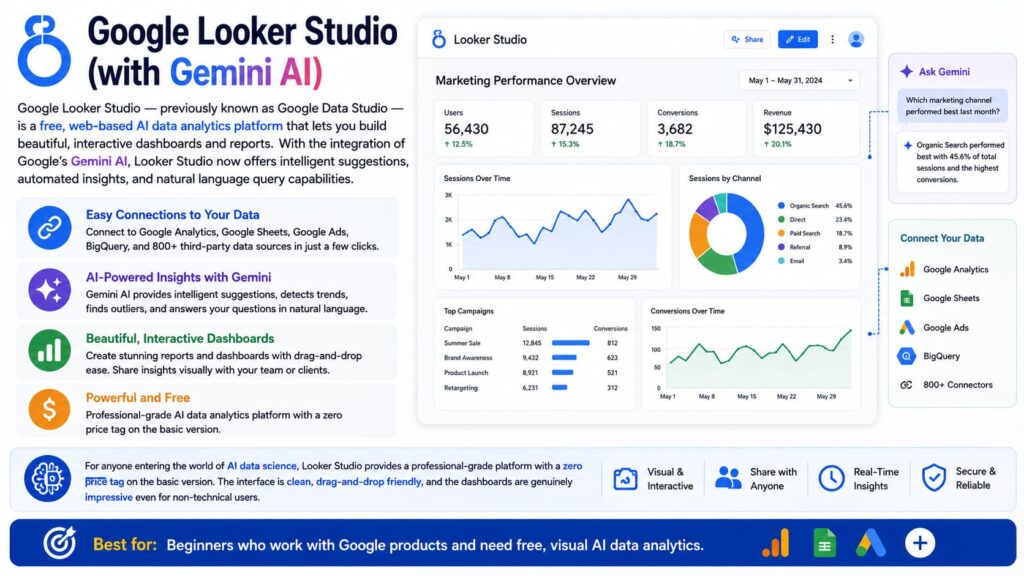
Google Looker Studio — previously known as Google Data Studio is a free, web-based AI data analytics platform that lets you build beautiful, interactive dashboards and reports. With the integration of Google’s Gemini AI, Looker Studio now offers intelligent suggestions, automated insights, and natural language query capabilities.
What makes Looker Studio exceptional for beginners is how easily it connects to data sources. You can pull in data from Google Analytics, Google Sheets, Google Ads, BigQuery, and many third-party tools with just a few clicks. The AI data analysis features then help you identify trends, spot outliers, and share insights visually with your team or clients.
For anyone entering the world of AI data science, Looker Studio provides a professional-grade platform with a zero price tag on the basic version. The interface is clean, drag-and-drop friendly, and the dashboards are genuinely impressive even for non-technical users.
Best for: Beginners who work with Google products and need free, visual AI data analytics.
Pricing: Free (Looker Studio Pro starts at $9/user/month).
4. Tableau with Tableau AI (Salesforce Einstein)
Tableau is one of the most respected names in the world of data visualization and AI data analytics. With the integration of Salesforce Einstein AI, Tableau now offers powerful AI data analysis features like predictive modeling, anomaly detection, and natural language queries through its “Ask Data” feature.
For beginners, Tableau Public is a completely free version that lets you create stunning visualizations and explore AI data science concepts hands-on. You can connect to Excel files, CSVs, and public databases, then use drag-and-drop tools to build professional dashboards.
What sets Tableau apart in the AI data analysis landscape is its depth. While other tools are great for quick insights, Tableau lets you go as deep as you want. If you’re serious about building a career in AI data science or becoming a business intelligence professional, Tableau is a foundational skill worth investing in from the beginning.
Best for: “Intermediate users who want to strengthen their AI data analysis and visualization skills at a more professional, industry-ready level.”
Pricing: Tableau Public is free. Tableau Creator starts at $75/user/month.
5. Julius AI
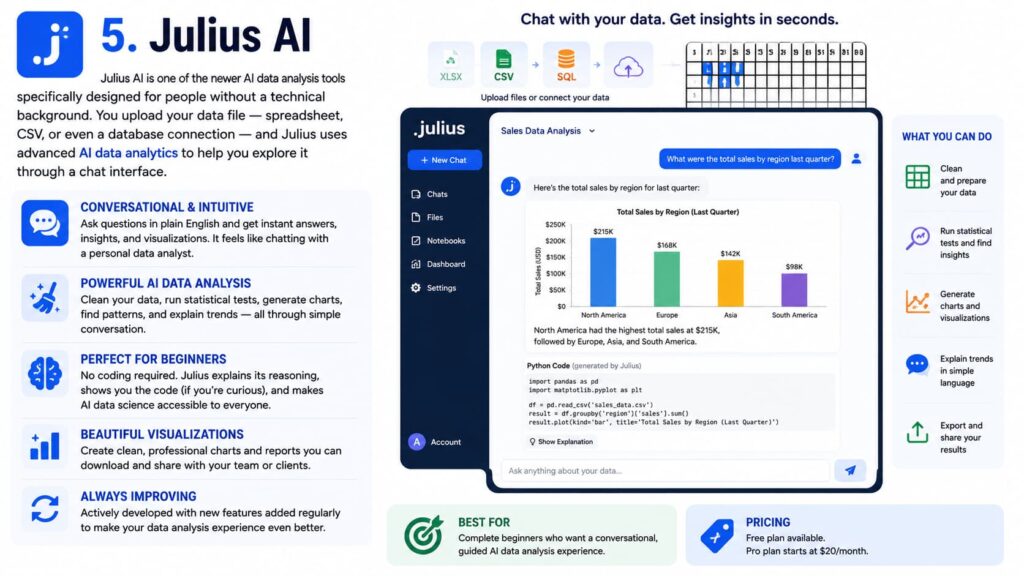
Julius AI is one of the newer AI data analysis tools specifically designed for people without a technical background. You upload your data file spreadsheet, CSV, or even a database connection and Julius uses advanced AI data analytics to help you explore it through a chat interface.
What makes Julius stand out is how conversational and intuitive the AI data analysis experience feels. You can ask it to clean your data, run statistical tests, generate charts, or explain trends in simple language. It’s like having a personal data analyst available 24/7 who never gets frustrated with beginner questions.
For anyone just stepping into AI data science, Julius is one of the most welcoming platforms available. It explains its reasoning, shows you the code it’s running (if you’re curious), and produces clean, shareable visualizations. It’s also being actively developed with new features added regularly.
Best for:“Intermediate and advanced users who want a more efficient, scalable, and insight-driven AI data analysis experience with greater control, automation, and the ability to handle complex datasets and high-level visualization tasks.”
Pricing: Free plan available. Pro plan starts at $20/month.
6. IBM Watson Studio
IBM Watson Studio is an enterprise-grade AI data science platform that’s more powerful and slightly more complex than the other tools on this list. However, IBM has worked hard to make it accessible to beginners through its free Lite plan and extensive library of tutorials, templates, and guided projects.
Watson Studio supports the full AI data analysis pipeline: data ingestion, cleaning, model building, deployment, and monitoring. For beginners who are serious about learning AI data science end-to-end, this platform provides a real-world environment that mirrors what professional data scientists use at large companies.
Its AutoAI feature is particularly impressive for beginners it automatically selects the best machine learning model for your dataset, tunes it, and explains the results in plain language. This is AI data analytics at its most powerful and educational.
Best for: Ambitious beginners who want to learn professional-grade AI data science from the ground up.
Pricing: Free Lite plan available. Paid plans vary based on usage.
Comparison of the 6 AI Data Analysis Tools
Here is a quick summary of how these six AI data analysis tools compare across key factors that matter to beginners.
follow us on LinkedIn for more
ChatGPT Advanced Data Analysis is the best all-rounder for conversational AI data analysis with no setup. It’s extremely beginner-friendly, highly versatile, and works across many use cases but it requires a paid subscription and doesn’t offer persistent dashboards.
Microsoft Copilot for Excel is ideal if you already use Microsoft products. The AI data analytics are seamlessly integrated, making it the easiest adoption for office workers but the pricing may be high for individuals.
Google Looker Studio is the top choice for free, visual AI data analysis connected to Google’s ecosystem. It’s beginner-friendly and professional-looking, though advanced features require some learning.
Tableau AI is the power tool for visual AI data analytics. Tableau Public makes it accessible for beginners, and the depth of the platform ensures long-term growth but it has a steeper learning curve than others.
Julius AI is the most beginner-focused conversational AI data analysis tool. It’s simple, guided, and perfect for absolute beginners but may feel limited as you advance.
IBM Watson Studio is the most comprehensive AI data science platform. It offers unmatched depth and professional-grade capabilities, but it requires the most time investment to learn properly.
How to Choose the Right AI Data Analysis Tool
With so many options, choosing the right AI data analysis platform can feel overwhelming. Here’s a simple framework to help you decide.
Start with your goal. Are you trying to analyze business data, learn AI data science for a career, build dashboards for clients, or simply understand your personal finances? Your goal should drive your tool choice.
Consider your current skill level. If you’re a complete beginner with no technical background, start with Julius AI or ChatGPT Advanced Data Analysis. If you’re comfortable with Excel, go with Microsoft Copilot. If you want to grow into a professional, start with Tableau or Watson Studio.
Think about your data sources. Do you mostly work with Google products? Looker Studio is a natural fit. Do you work inside Excel every day? Copilot is the obvious choice. The best AI data analysis tool is one that connects easily to data you already have.
Check your budget. Google Looker Studio, Julius AI (free tier), Tableau Public, and IBM Watson Studio (Lite plan) are all free to start. If budget is a concern, begin with one of these and upgrade as your needs grow.
Look for learning resources. The best AI data analytics platform for beginners is the one with the most tutorials, community support, and documentation. All six tools on this list have strong learning ecosystems, but Tableau and IBM Watson have particularly deep libraries of courses and certifications.
Final Verdict
AI data analysis is no longer a skill reserved for computer scientists and math PhDs. Thanks to the six tools covered in this article, anyone can start working with data today regardless of their technical background.
If you’re just starting out, our top recommendation is to begin with ChatGPT Advanced Data Analysis or Julius AI. Both tools make AI data analytics approachable, fast, and even enjoyable. As you build confidence, move toward Tableau or IBM Watson Studio to develop deeper, more professional AI data science skills.
The bottom line: the best time to start learning AI data analysis was yesterday. The second-best time is right now. Pick one tool from this list, upload your first dataset, and start asking questions. You’ll be amazed at how quickly AI data analysis can transform the way you think about information and decision-making.
Frequently Asked Questions (FAQs)
Q1: What is AI data analysis in simple terms? AI data analysis is the process of using artificial intelligence to automatically examine and interpret data. Instead of manually calculating averages or building charts, AI tools do it for you often in seconds and help you find patterns, trends, and insights faster than any human could.
Q2: Can beginners really use AI data analysis tools without coding? Absolutely. Most modern AI data analysis platforms are designed specifically for non-technical users. Tools like Julius AI, ChatGPT, and Google Looker Studio use natural language interfaces you type questions in plain English and the AI handles the rest. No coding knowledge is required.
Q3: Which AI data analysis tool is best for small businesses? For small businesses, Google Looker Studio is an excellent free option for visual dashboards. ChatGPT Advanced Data Analysis is great for quick, ad-hoc AI data analytics. Microsoft Copilot for Excel is ideal if your team already uses Microsoft Office products.
Q4: How is AI data analytics different from traditional data analysis? Traditional data analysis relies heavily on manual processes, formulas, and human interpretation. AI data analytics automates much of this process, uses machine learning to detect patterns, and can generate predictive insights things that are extremely difficult and time-consuming to do manually.
Q5: Is AI data science the same as AI data analysis? Not exactly. AI data science is the broader field that includes data collection, cleaning, modeling, and deployment of AI systems. AI data analysis is a subset of AI data science focused specifically on examining and interpreting data to generate insights. Think of AI data analysis as one important piece of the larger AI data science puzzle.
Q6: Are these AI data analysis tools safe to use with sensitive data? It depends on the platform and your use case. Cloud-based AI data analysis tools upload your data to external servers, which may raise privacy concerns for sensitive information. For highly confidential data, look for tools that offer on-premise deployment or strong data privacy guarantees, such as IBM Watson Studio or Microsoft Copilot (which is backed by enterprise security standards).
Q7: How long does it take to learn AI data analysis as a beginner? With the right tools and consistent practice, most beginners can become comfortable with basic AI data analysis within 4 to 8 weeks. Starting with conversational tools like Julius AI or ChatGPT can compress this timeline even further, since there’s no technical setup required. Committing just 30 minutes a day to practicing with real data is enough to build solid foundational skills.
Ready to get started? Pick one tool from this list, grab a free dataset from Kaggle or Google Dataset Search, and run your first AI data analysis today. The insights you discover might surprise you.
Know more about us here

Hi, I’m Rufqha, the SEO Manager at AIBlogMind. I focus on building content strategies that help websites improve visibility, attract the right audience, and create sustainable organic growth. My expertise includes on-page SEO, keyword research, content optimization, and aligning SEO with user experience and business goals.