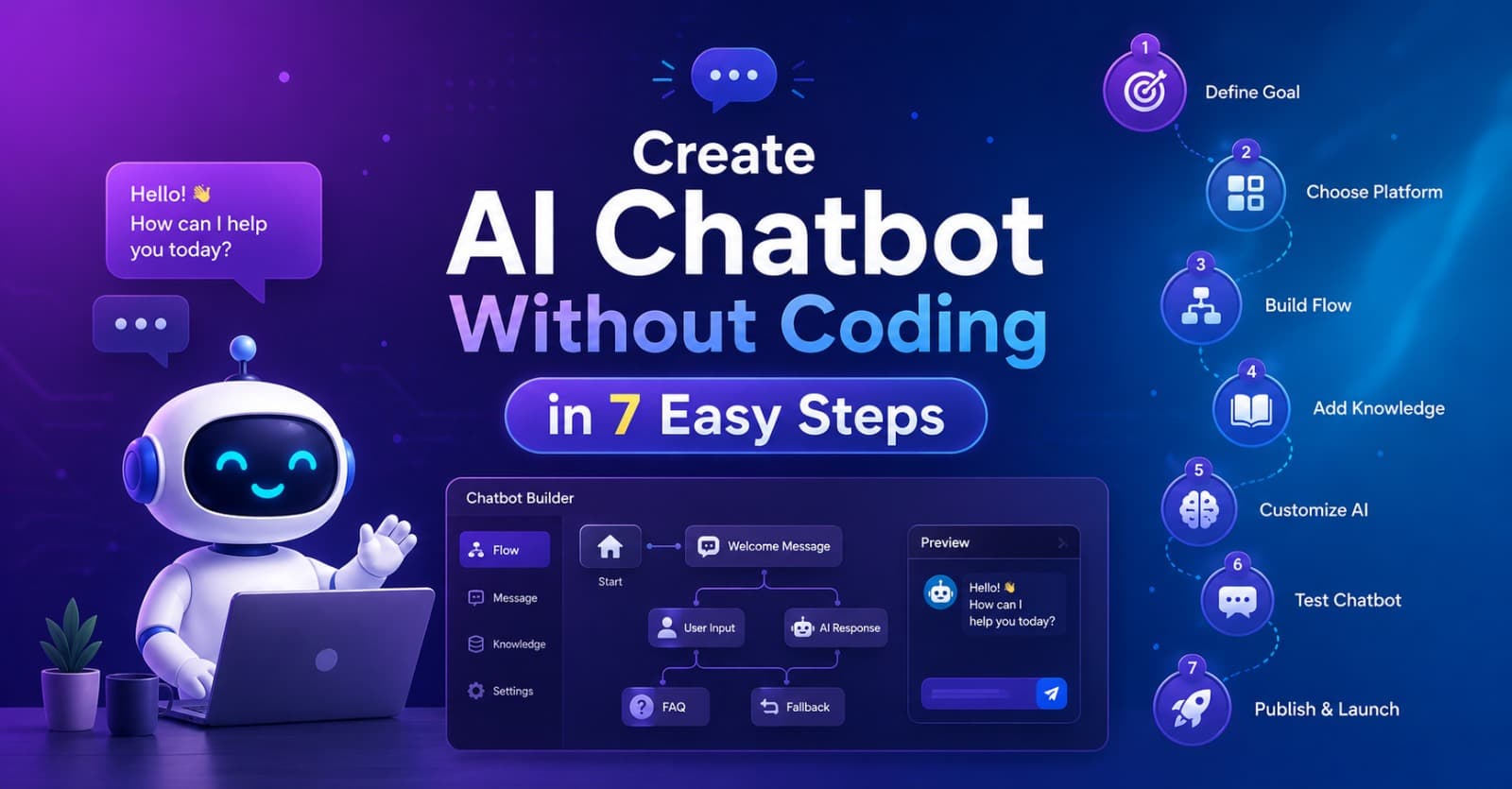
Create AI Chatbot Without Coding in 7 Easy Steps Full Guide
Introduction
Imagine visiting a website at midnight and instantly getting answers to your questions without waiting for a human support agent. That is exactly why businesses, creators, freelancers, and even students are now trying to create an AI chatbot without coding. The demand for smart chatbots has exploded because people want fast communication, instant support, and automation that saves time. A few years ago, creating a chatbot required programming knowledge, expensive developers, and weeks of setup. Today, things have changed completely. Modern tools allow anyone to build a chatbot with drag-and-drop systems and AI-powered automation.
The biggest reason behind this trend is the rise of the AI chatbot builder industry. These platforms are designed for beginners who do not know coding languages like Python or JavaScript. You can upload your documents, connect your website, and train the chatbot in just a few clicks. This has opened doors for small businesses and content creators who previously could not afford advanced automation systems. Whether you run an online store, a coaching business, or a blog, you can now build a smart assistant that works 24/7.
Another major factor is customer expectations. Modern users want quick responses. Nobody likes waiting hours for email replies anymore. A no-code chatbot AI can answer repetitive questions instantly, collect leads automatically, and improve customer satisfaction. It acts like a digital employee that never sleeps. Businesses using chatbot automation often report higher engagement rates and faster response times because visitors get immediate help whenever they need it.
This guide will walk you through how to create an AI chatbot without coding in seven easy steps. You will learn how to choose the best platform, train your chatbot, customize responses, and connect automation tools. The best part? You do not need technical experience to get started. If you can use social media or edit a document, you can build a chatbot too.
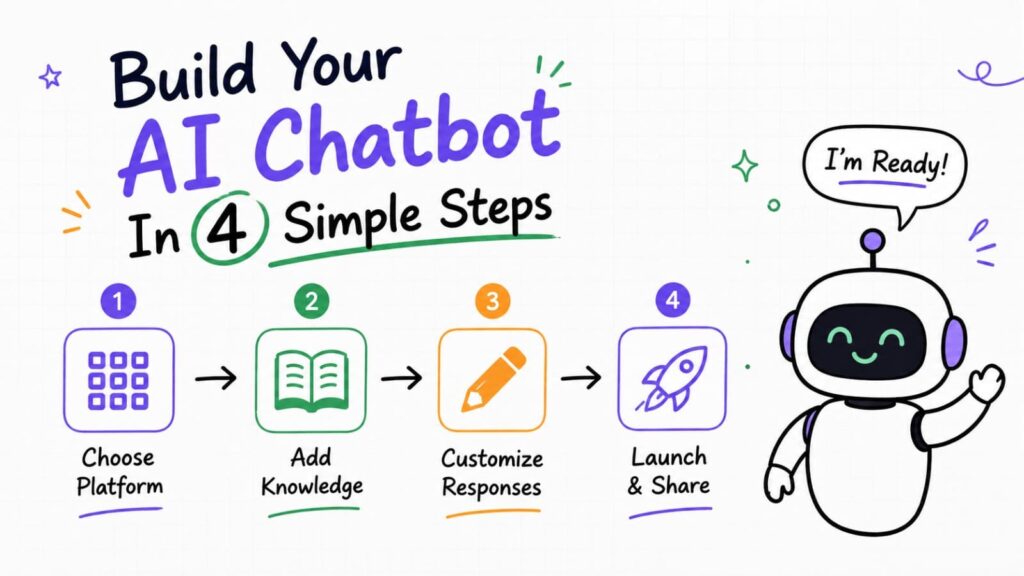
Follow for more such amazing content.
What Is an AI Chatbot Without Coding?
An AI chatbot without coding is a chatbot built using visual tools and automation platforms instead of programming languages. Think of AI chatbot without coding like assembling furniture with instructions instead of manufacturing every screw yourself. The platform handles the technical complexity while you focus on creating conversations and training the bot. This approach has made chatbot development accessible to almost everyone.
A traditional chatbot usually requires software developers to write code, integrate APIs, manage databases, and maintain servers. That process can take weeks or months. A no-code chatbot AI or AI chatbot without coding simplifies everything with templates, drag-and-drop editors, and pre-built integrations. You simply upload information, define responses, and connect the chatbot to your website or messaging app. The platform does the heavy lifting in the background.
The smartest part of modern chatbot systems is artificial intelligence. Earlier bots only followed fixed rules like “If user says hello, reply with hi.” Modern AI bots can understand natural language, interpret user intent, and generate more human-like replies. An advanced AI assistant builder can even learn from uploaded documents, FAQs, and websites to provide accurate answers automatically.
Businesses are rapidly adopting chatbot automation because it improves productivity. Instead of hiring large customer support teams, companies can use AI to answer common questions instantly. This saves time, reduces operational costs, and creates a better user experience. Whether someone wants product recommendations, appointment booking, or order tracking, an AI chatbot can manage these tasks smoothly without human intervention.
Benefits of Building an AI Chatbot Without Coding
One of the biggest advantages of creating an AI chatbot without coding is speed. Traditional software development can feel like building a skyscraper brick by brick. No-code tools work more like assembling modular blocks. You can launch a chatbot within hours instead of waiting weeks for developers. This is especially useful for startups and small businesses with limited budgets.
Cost savings are another major reason why people use an AI chatbot builder or AI chatbot without coding. Hiring developers can be expensive, especially for custom AI solutions. No-code platforms offer affordable subscription models that include hosting, AI training, analytics, and automation features. Even freelancers and solo entrepreneurs can now afford advanced chatbot technology that was once limited to big corporations.
A AI chatbot without coding also improves customer engagement. Visitors appreciate instant responses because quick communication builds trust. If someone lands on your website with a question about pricing, shipping, or services, the chatbot can answer immediately instead of making them wait. This reduces bounce rates and increases the chances of conversions and sales.
Another hidden advantage is scalability. Human teams can only answer a limited number of customers at once, but chatbot automation can handle thousands of conversations simultaneously. Imagine a busy shopping mall with only one cashier versus a mall with hundreds of automated self-checkout counters. That is the difference automation creates. Your chatbot works around the clock without breaks, holidays, or delays.
| Feature | Traditional Chatbot | AI Chatbot Without Coding |
|---|---|---|
| Development Time | Weeks or Months | Few Hours |
| Coding Skills Needed | Yes | No |
| Maintenance | Complex | Easy |
| Cost | Expensive | Affordable |
| Scalability | Limited | High |
| Automation | Moderate | Advanced |
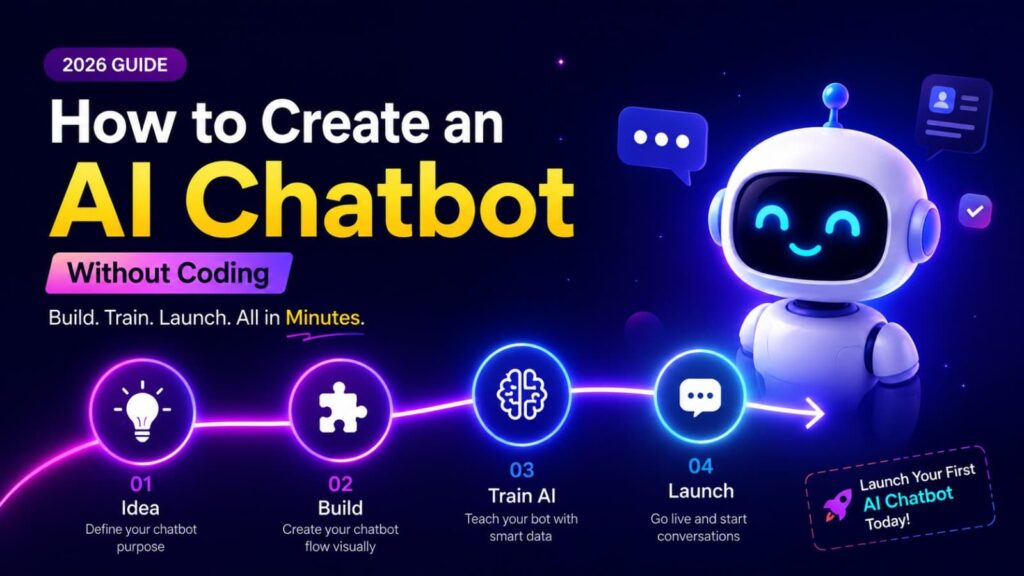
Step 1 – Choose the Right AI Chatbot Builder
The first step to creating an AI chatbot without coding is selecting the right platform. This decision matters because your chatbot’s performance depends heavily on the features and flexibility of the builder you choose. Some platforms focus on customer support, while others specialize in sales automation or AI assistants for content creators.
When choosing an AI chatbot builder, look for simplicity first. A beginner-friendly dashboard with drag-and-drop functionality makes the setup process much easier. You should also check whether the platform supports integrations with websites, WhatsApp, Instagram, Messenger, or CRM tools. Integration support is essential because chatbot automation becomes far more powerful when connected with other systems.
Another important feature is AI training capability. A strong AI assistant builder should allow you to upload documents, PDFs, FAQs, or website links. This enables the chatbot to learn from your content and generate accurate responses. Some platforms even offer analytics dashboards that help you monitor chatbot performance and identify areas for improvement.
Security and reliability are equally important. Since chatbots often handle customer information, you should select a trusted platform with proper data protection measures. Think of your chatbot like a virtual receptionist. You want someone reliable, professional, and capable of handling customer interactions responsibly. Choosing the right platform sets the foundation for everything else.
Step 2 – Define Your Chatbot Goal
Before building your AI chatbot without coding, you need a clear purpose. Many people fail because they create a chatbot without defining what it should actually do. A chatbot without a goal is like a GPS without a destination. It may function technically, but it will not deliver useful results.
Start by identifying your main objective. Do you want chatbot automation for customer support? Are you trying to generate leads? Maybe you want an AI assistant for answering FAQs or recommending products. Defining your goal helps shape the chatbot’s conversation flow and training process. A sales-focused chatbot will behave differently from a support-focused one.
A good no-code chatbot AI should solve a specific problem. For example, an online store may use a chatbot to answer shipping questions and suggest products. A coaching business may use it to book appointments and collect emails. A blogger might use an AI assistant builder to guide visitors toward recommended articles or digital products.
Clear goals also help measure success. If your chatbot’s purpose is lead generation, you can track sign-ups and inquiries. If it is customer support, you can monitor response times and customer satisfaction. Defining objectives early prevents confusion later and makes optimization much easier as your chatbot grows.
Step 3 – Select a Knowledge Source
Your chatbot is only as smart as the information you provide. That is why choosing the right knowledge source is critical when creating an AI chatbot without coding. The chatbot learns from your content, so inaccurate or incomplete data can lead to poor responses.
Most modern AI chatbot builder platforms allow you to upload PDFs, Word documents, FAQs, website links, or spreadsheets. This process is often called AI training. The system scans your content and uses it to answer questions. For example, if you upload your business FAQ page, the chatbot can instantly respond to customer queries using that information.
Website training is one of the most popular options for no-code chatbot AI systems. Instead of manually writing every answer, you can simply connect your website URL. The AI automatically reads your pages and builds a knowledge base. This saves enormous time and ensures your chatbot stays aligned with your existing content.
You should organize your information carefully before uploading it. Think of it like teaching a new employee. If instructions are confusing, the employee will struggle. The same applies to chatbot automation. Use clear language, structured FAQs, and updated documents to improve accuracy and customer experience.
Step 4 – Train Your No-Code Chatbot AI
Training is where your AI chatbot without coding truly becomes intelligent. This process teaches the chatbot how to respond naturally and accurately. A well-trained bot feels smooth and helpful, while a poorly trained bot feels robotic and frustrating.
Start by adding common questions users ask. Include answers about pricing, services, delivery, refunds, or support. The more detailed your training data, the smarter your no-code chatbot AI becomes. Many platforms also let you create custom conversation flows for specific situations. This helps guide users toward actions like booking appointments or purchasing products.
Testing plays a huge role during training. You should interact with the chatbot like a real customer and identify weak responses. If answers seem vague or incorrect, refine the training data. A strong AI assistant builder usually provides analytics showing which questions users ask most often. These insights help improve performance continuously.
Natural language matters too. People rarely type perfect sentences. They use slang, shortcuts, and casual phrasing. Your chatbot should recognize variations of the same question. Good chatbot automation feels conversational rather than scripted. The goal is to create an experience where users almost forget they are talking to AI.
Step 5 – Customize Your AI Assistant Builder
Customization transforms a basic chatbot into a branded experience. A generic chatbot may work technically, but personalization creates stronger engagement and trust. When building an AI chatbot without coding, you should make the bot match your business identity and communication style.
Start with visual branding. Most AI chatbot builder platforms allow you to customize colors, logos, fonts, and chat icons. This helps the chatbot blend naturally with your website or app. Visitors feel more comfortable when the chatbot looks like part of your brand rather than a random third-party widget.
The conversation tone also matters. A professional law firm may prefer formal language, while a fashion brand might use a casual and playful tone. A well-designed AI assistant builder allows you to define how the chatbot communicates. This consistency strengthens brand identity and improves customer trust.
You can also personalize greetings and responses. Instead of generic replies, use welcoming language that feels human. For example, “Hi there! How can I help you today?” sounds warmer than “Enter your query.” Small details like this significantly improve user experience and make chatbot automation feel more natural and engaging.
Step 6 – Connect Chatbot Automation Tools
A standalone chatbot is useful, but connected automation makes it powerful. Integrating your AI chatbot without coding with other platforms creates smoother workflows and saves enormous time. This is where chatbot automation truly shines.
Many businesses connect their chatbot with email marketing tools, CRMs, payment systems, or messaging apps. For example, when someone fills out a chatbot form, their information can automatically enter your CRM system. This removes manual work and reduces errors. A smart AI chatbot builder should support integrations with tools you already use.
WhatsApp integration is becoming especially popular. Customers love chatting on familiar platforms instead of visiting websites repeatedly. A no-code chatbot AI connected to WhatsApp can answer questions, send updates, and even process orders automatically. This creates a seamless communication experience.
Automation workflows also improve efficiency. Imagine your chatbot automatically booking appointments, sending follow-up emails, and notifying your team about new leads. That is the real power of an advanced AI assistant builder. It turns repetitive manual tasks into automated systems that work nonstop.
Step 7 – Test and Launch Your AI Chatbot
Before launching your AI chatbot without coding, thorough testing is essential. Even the smartest AI can make mistakes if not properly reviewed. Testing helps identify broken responses, confusing flows, and missing information before real users encounter them.
Start by asking the chatbot different types of questions. Use simple wording, slang, and complex queries to see how it responds. A strong no-code chatbot AI should handle multiple conversation styles smoothly. If responses seem inaccurate, update the training data or refine conversation flows.
User experience matters just as much as technical accuracy. Check whether the chatbot loads quickly, works properly on mobile devices, and feels easy to use. A slow or confusing chatbot can frustrate visitors instead of helping them. Think of chatbot automation like a digital storefront. If the experience feels messy, users may leave immediately.
Once testing is complete, launch the chatbot gradually. Monitor interactions closely during the first few weeks and gather feedback from users. Most AI chatbot builder platforms provide analytics showing conversation success rates, unanswered questions, and engagement metrics. Continuous improvement keeps your chatbot effective over time.
Best Practices for AI Chatbot Success
Creating an AI chatbot without coding is only the beginning. Long-term success depends on optimization, updates, and user-focused improvements. The most successful chatbots evolve constantly based on customer behavior and feedback.
Keep your chatbot knowledge base updated regularly. Businesses change pricing, services, and policies over time. Outdated information can damage trust and create confusion. A reliable AI assistant builder makes updates simple so your chatbot always provides accurate answers.
Avoid overcomplicating conversations. Many beginners try to make chatbots handle every possible scenario immediately. Start with core tasks first and expand gradually. A focused no-code chatbot AI usually performs better than one overloaded with unnecessary features.
Human fallback support is also important. Some situations require real human assistance. Your chatbot should offer users an option to contact a support representative when needed. Smart chatbot automation enhances human support instead of replacing it entirely. The goal is balance, not complete elimination of human interaction.
Final Verdict
Building an AI chatbot without coding is no longer a complicated or expensive process. Modern no-code platforms have made AI accessible to everyone, from startups and freelancers to large businesses. With the right strategy, you can create a professional chatbot that improves customer support, generates leads, and automates repetitive tasks without writing a single line of code.
The seven-step process is surprisingly simple when broken down properly. First, choose the right AI chatbot builder. Then define clear goals, upload quality knowledge sources, train the AI carefully, customize branding, connect automation tools, and test everything before launch. Each step contributes to creating a chatbot that feels useful, natural, and effective.
The future of digital communication is heavily connected to AI. Businesses that adopt chatbot automation early gain a major advantage because customers increasingly expect instant support and seamless interactions. A well-trained no-code chatbot AI works like a 24/7 employee that never gets tired, helping businesses scale faster and operate more efficiently.
If you have been waiting for the perfect time to create your own chatbot, this is it. You do not need technical expertise anymore. With today’s AI assistant builder platforms, anyone can launch a smart chatbot and start automating communication in just a few hours.
FAQs
1. Can beginners really create an AI chatbot without coding?
Yes, beginners can easily create an AI chatbot without coding using drag-and-drop platforms and AI training tools. Most no-code systems are designed specifically for non-technical users.
2. What is the best AI chatbot builder for small businesses?
The best AI chatbot builder depends on your needs. Some focus on customer support, while others specialize in automation, sales, or WhatsApp integrations.
3. Is a no-code chatbot AI expensive?
Most no-code chatbot AI platforms offer affordable monthly subscriptions. Many also provide free plans for beginners who want to test chatbot features before upgrading.
4. Can chatbot automation improve sales?
Yes, chatbot automation can improve sales by answering customer questions instantly, recommending products, collecting leads, and guiding visitors through the buying process.
5. How long does it take to build an AI chatbot without coding?
You can create a basic AI chatbot without coding within a few hours. Advanced chatbots with integrations and automation workflows may take a few days to optimize properly.

Mohammed Viqar Ali is a Digital Marketer, UI/UX Designer, and content creator passionate about AI, technology, SEO, and digital growth. As the UI/UX Designer of aiblogmind, he focuses on creating user-friendly digital experiences while sharing practical insights on artificial intelligence, marketing trends, productivity tools, and online business growth. Through his content, he helps readers discover innovative solutions, stay updated with emerging technologies, and make informed decisions in the digital world.