

Which Is the Best SEO Software? Top Tools Compared
Choosing the best SEO software can feel overwhelming when there are dozens of platforms all claiming to boost your rankings overnight. Whether you’re a solo blogger, an agency owner, or a business trying to grow organic traffic, picking the best SEO software for your specific needs makes the difference between guessing and growing with data-backed decisions.
In this article, we’ll compare the top contenders, break down their features, weigh their pros and cons, and help you figure out exactly which tool deserves a spot in your workflow.If you’ve spent any time comparing platforms, you already know that “best” means something different for every website, which is exactly why this guide breaks the best SEO software landscape down feature by feature instead of handing you a single generic recommendation.
Why the Right SEO Tool Matters More Than Ever
Search engines have grown far smarter over the years. It’s no longer enough to stuff keywords into a page and hope for the best. Today’s ranking systems reward content that demonstrates real know-how, a track record of usefulness, and clear signals that a website can be trusted by readers. This is exactly where the best SEO software earns its value; it doesn’t just tell you what keywords to target, it helps you build content that reads as credible, well-researched, and genuinely helpful to the person searching.Good software also increasingly helps you write in a way that search engines’ AI-generated summaries and voice assistants can easily pull answers from.
As more searches end without a click because the answer appears directly in a snippet, a chat-style summary, or a voice response structuring your content so it can be lifted cleanly and accurately by these systems has become just as important as ranking on page one. A quality platform nudges you toward clear headings, direct answers near the top of a section, and well-organized data, all of which make your content easier for both humans and machines to understand and cite. The best SEO software available today is built with this shift in mind, not just traditional blue-link rankings.
What Makes Software Qualify as the Best SEO Software?
Not every tool that calls itself an SEO platform deserves the title. Here’s what separates the best SEO software from the rest of the pack:
- Accurate, real-time data – rankings, backlinks, and search volume figures that reflect what’s actually happening right now.
- Actionable recommendations – not just numbers, but clear next steps.
- Content optimization features – guidance that helps you write pages that genuinely answer the searcher’s question, supported by evidence and clear sourcing.
- Technical audit capabilities – the ability to catch crawl errors, broken links, slow-loading pages, and indexing issues.
- Integration options – especially with WordPress, since a huge share of the web runs on it.
- Transparent reporting – dashboards that make sense to both specialists and non-specialists.
- A trustworthy reputation – established platforms with a long history of accurate data and a visible track record among real marketers tend to outperform newer, unproven tools.
Keeping these criteria in mind will help you evaluate any platform, whether you’re comparing paid suites or free options.
Top SEO Software Tools Compared
Let’s look at the tools most frequently recommended as the best SEO software on the market, along with what each one does particularly well.
1. Semrush
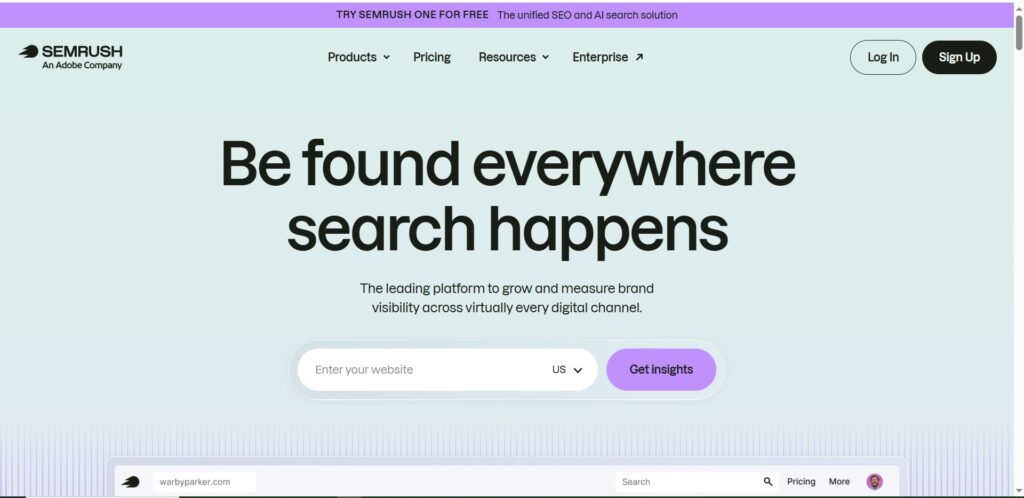
Semrush is often the first name mentioned when people ask about the best SEO software for competitive research. It combines keyword research, site auditing, backlink analysis, and content optimization in a single dashboard.
Standout features:
- Massive keyword database covering global markets
- Competitor gap analysis
- Position tracking across devices and locations
- Content template suggestions based on top-ranking pages
2. Ahrefs
Ahrefs is famous for its backlink index, which many consider the most comprehensive available. It’s a favorite among link builders and content strategists.
Standout features:
- Site Explorer for deep competitor backlink research
- Content Explorer to find high-performing topics
- Rank tracker with historical data
- Broken link checker for quick technical wins
3. SurferSEO
SurferSEO focuses heavily on on-page content optimization, comparing your draft against top-ranking pages to suggest word count, headings, and related terms.
Standout features:
- Content Editor with real-time scoring
- SERP Analyzer
- Audit tool for existing pages
- AI-assisted outline generation
4. Yoast SEO and Rank Math
When people search for seo plugins for WordPress, these two names dominate the conversation. Both are plugins rather than standalone platforms, but they’re essential for anyone running a WordPress site.
Standout features:
- Readability and keyword density checks
- Automatic schema markup generation
- XML sitemap creation
- Meta title and description previews
Because so much of the internet runs on WordPress, these seo plugins for WordPress are often the very first tools a website owner installs, even before investing in a paid research suite.
5. Ubersuggest
Ubersuggest is a budget-friendly option that still delivers solid keyword and competitor data, making it a popular pick among small business owners exploring seo tools free of charge before committing to a paid plan.
Standout features:
- Keyword suggestions with difficulty scores
- Backlink data
- Content ideas based on top-performing articles
- Simple, beginner-friendly interface
6. Screaming Frog SEO Spider
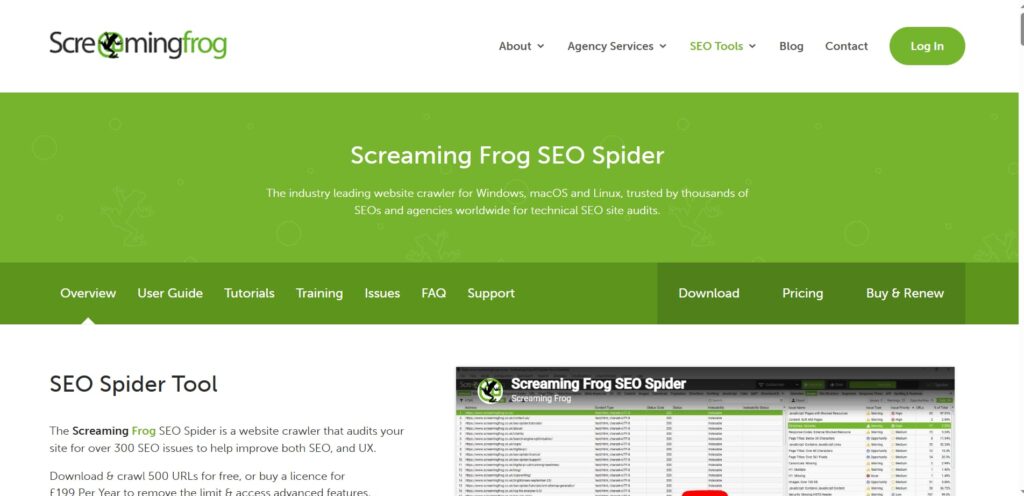
This desktop-based crawler is a technical SEO staple, helping identify crawl errors, redirect chains, and duplicate content at scale.
Standout features:
- Site-wide crawl visualization
- Custom extraction rules
- Integration with Google Analytics and Search Console
- Free version available for smaller sites
Detailed Tool Features Study
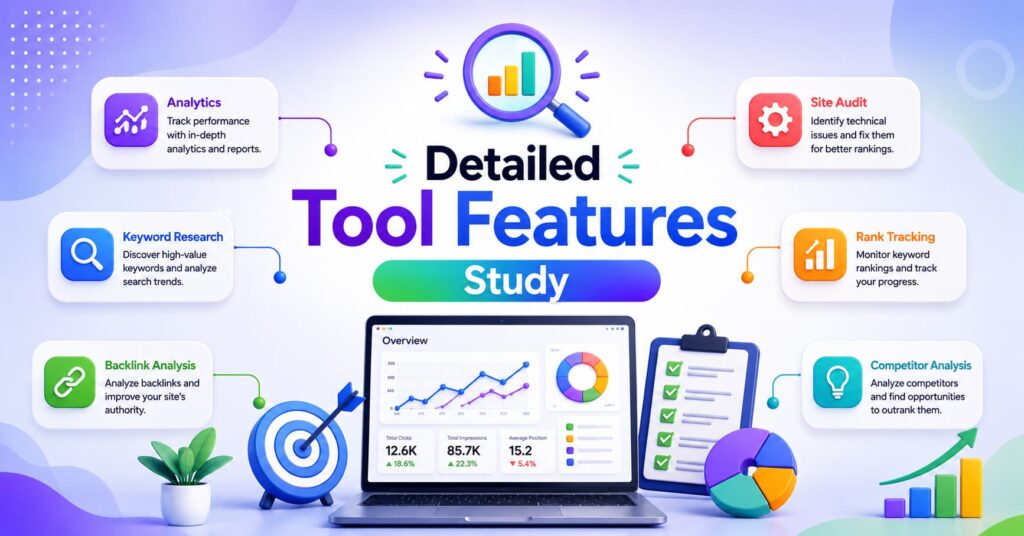
To really understand which platform earns the title of best SEO software for your situation, it helps to look closer at the feature categories that matter most.
Keyword Research Depth The strongest platforms don’t just show search volume they show intent, seasonality trends, related questions people ask, and difficulty scores adjusted for your site’s current authority. Semrush and Ahrefs lead here, while Ubersuggest offers a lighter but still useful version for smaller budgets.
Content Optimization This is where the gap between casual tools and the best SEO software becomes obvious. SurferSEO and Semrush’s writing assistant analyze top-ranking content structurally, comparing headings, subtopics, and even the types of questions answered, then guide you to fill content gaps competitors have missed. This matters because search engines increasingly favor pages that comprehensively and clearly answer a query rather than pages that merely mention a keyword.
Technical Auditing Screaming Frog and the audit modules inside Semrush and Ahrefs scan for crawl errors, orphaned pages, slow load times, and broken internal links. A free seo audit free tool option is often the starting point for site owners who want a quick health check before investing in a full subscription.
Backlink Analysis Ahrefs remains the benchmark, but Semrush and Ubersuggest both provide usable backlink profiles, showing referring domains, anchor text distribution, and toxic link warnings.
WordPress Integration For content-heavy sites, having reliable seo plugins for WordPress installed alongside a research platform creates a complete workflow Yoast or Rank Math handle on-page mechanics while the research tool handles strategy.
Reporting and Usability A platform can have excellent data, but if the dashboard is confusing, teams won’t use it consistently. The best SEO software options invest heavily in clean, exportable reports that clients and stakeholders can actually understand.
AI and Automation Features Newer updates across most major platforms now include AI-generated content briefs, automated internal linking suggestions, and tools that help structure content so it can be easily summarized or quoted by search engines’ AI overviews. This is becoming a core differentiator among platforms competing for the best SEO software title in 2026 and beyond.
Exploring Free Options: SEO Tools Free of Cost
Not everyone needs an enterprise-level subscription right away. If you’re just starting out, there are legitimate seo tools free options worth trying before you spend a dollar:
- Google Search Console – free, direct-from-Google data on impressions, clicks, and indexing issues.
- Google Keyword Planner – free keyword volume estimates, though designed primarily for ad campaigns.
- Ubersuggest’s free tier – limited daily searches but genuinely useful for beginners.
- Screaming Frog (free version) – crawls up to 500 URLs at no cost.
- Yoast SEO free plugin – solid on-page guidance without a subscription.
If you’re specifically looking for a seo audit free tool, most major platforms including Semrush, Ahrefs, and SurferSEO offer a limited free audit or trial that scans your site and flags the most urgent issues. These are great starting points before deciding whether a paid version of the best SEO software for your goals is worth the investment.
Benefits of Using the Best SEO Software
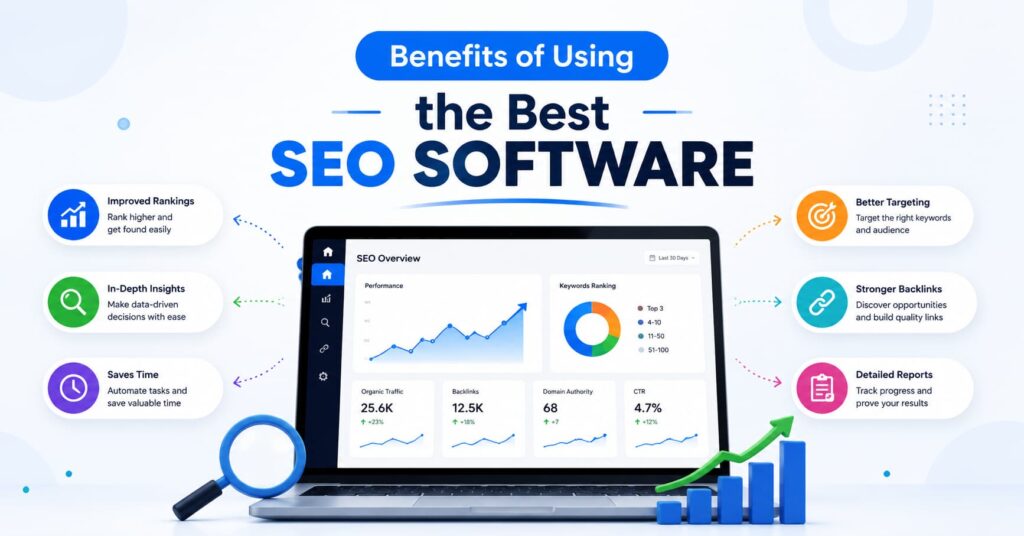
- Saves research time. Instead of manually checking competitors, you get instant data on what’s working for them.
- Improves content quality. Optimization suggestions push writers toward more thorough, genuinely useful articles rather than thin content.
- Reveals technical problems early. Broken links, slow pages, and indexing errors get caught before they hurt rankings.
- Tracks progress over time. Historical ranking data shows whether your strategy is actually working.
- Builds a more trustworthy website. Many tools now flag content gaps, missing citations, or thin author information all signals that affect how credible your site appears to both readers and search engines.
- Helps content surface in AI-generated answers. Structuring content clearly and answering questions directly increases the odds of being referenced when search engines summarize results using AI.
Follow Us on LinkedIn
Limitations to Keep in Mind
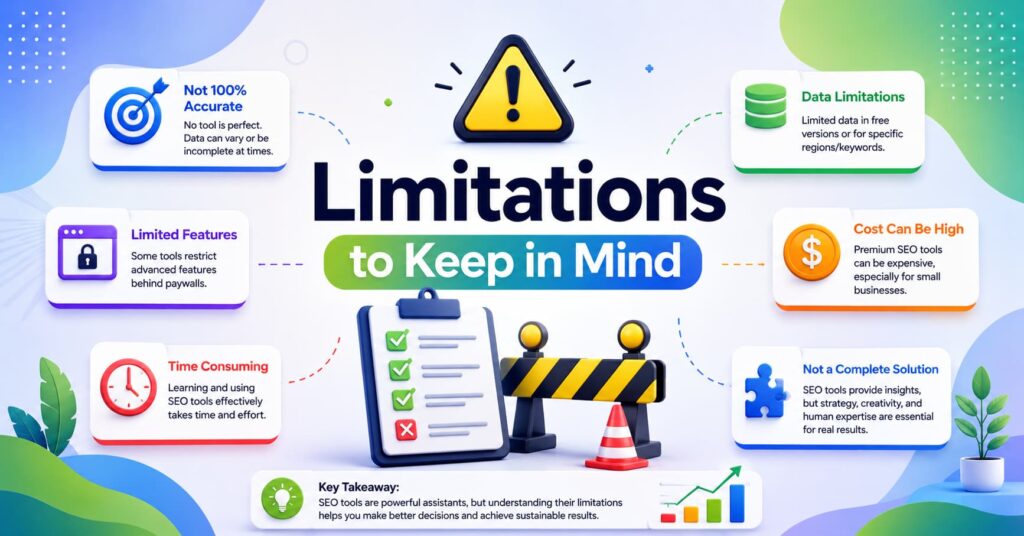
- Cost can add up quickly. Full-featured plans from Semrush or Ahrefs often run into the hundreds of dollars monthly for agencies.
- Learning curve. Beginners can feel overwhelmed by dashboards packed with metrics.
- Data isn’t always perfectly accurate. Search volume and difficulty scores are estimates, not guarantees.
- Free tools are limited. A seo audit free tool or free-tier plan usually caps the number of searches, pages crawled, or reports generated per day.
- No tool replaces good judgment. Even the best SEO software can’t write genuinely original insights or firsthand expertise for you it can only point you in the right direction.
- Plugin conflicts on WordPress. Running multiple seo plugins for WordPress at once (for example, both Yoast and Rank Math) can cause conflicts and duplicate schema markup.
How to Choose the Best SEO Software for Your Needs
- If you run an agency managing multiple clients, Semrush or Ahrefs offer the reporting depth and client management features you’ll need.
- If your priority is content writing, SurferSEO pairs well with a research tool for a complete workflow.
- If you run a WordPress site, start with Yoast or Rank Math, then layer in a research platform as you grow.
- If you’re on a tight budget, combine free tools like Google Search Console with Ubersuggest’s free tier or a one-off seo audit free tool scan.
- If technical SEO is your main concern, Screaming Frog will give you the deepest crawl-level insight.
There’s genuinely no universal winner when it comes to the best SEO software, since the right pick always depends on your goals, budget, and how hands-on you want to be with the data. Ultimately, the best SEO software for you depends on your budget, your team size, and whether your main challenge is content, technical health, or link building. Many experienced marketers end up using a combination, a research suite for strategy, a WordPress plugin for on-page mechanics, and a crawler for technical checks.
Comparing Pricing Tiers Across the Best SEO Software Options
Budget is often the deciding factor when narrowing down the best SEO software for a particular team. While exact pricing changes over time, it helps to understand the general tiers you’ll encounter:
- Entry-level plans (roughly $20–$50/month) usually cover a single user, limited keyword tracking, and a capped number of audit crawls. Ubersuggest and the paid tier of Rank Math typically fall here.
- Mid-tier plans (roughly $100–$200/month) open up more keyword tracking, competitor analysis, and content optimization features. Most small agencies land here when choosing the best SEO software for a handful of client sites.
- Enterprise plans (often $400+/month) add multiple user seats, white-label reporting, API access, and higher crawl limits, necessary for larger agencies managing dozens of domains.
It’s worth trialing the free version or a seo audit free tool offering from two or three platforms before committing to an annual plan, since usability varies more than the raw feature list suggests.
Content Signals That Influence Rankings Today
Modern search algorithms weigh more than backlinks and keyword placement. The best SEO software platforms now nudge users toward practices that reflect genuine subject-matter knowledge and firsthand experience, because search engines have gotten better at spotting content that reads as generic or recycled. A few signals worth paying attention to:
- Author credibility. Bylines, author bio pages, and clear credentials help readers and algorithms alike trust a piece of content.
- Original insight. Case studies, screenshots, and first-hand results tend to outperform purely theoretical advice.
- Clear sourcing. Linking to credible external references signals that claims are backed by something beyond opinion.
- Consistency over time. A site that regularly publishes accurate, well-maintained content builds a stronger long-term reputation than one that publishes sporadically.
- Direct, scannable answers. Placing a clear, concise answer near the top of a section followed by supporting detail makes content easier to summarize accurately, whether that’s a snippet, a voice assistant response, or an AI-generated overview at the top of a search results page.
Most of the platforms covered in this comparison now build these signals directly into their content scoring, which is part of why they’ve earned a reputation as the best SEO software for teams serious about long-term growth rather than short-term keyword tricks.
Common Mistakes to Avoid When Using SEO Software
Even the best SEO software can lead to poor results if it’s used incorrectly. Some frequent mistakes include:
- Chasing difficulty scores blindly. A “low difficulty” keyword suggestion doesn’t guarantee traffic if search volume is negligible or intent doesn’t match your offer.
- Ignoring search intent. Software can tell you what people search for, but you still need to judge whether they’re looking to buy, learn, or compare.
- Over-optimizing for the tool’s score. Chasing a perfect content score in SurferSEO or Semrush shouldn’t come at the expense of natural, readable writing.
- Running only one type of audit. A seo audit free tool scan catches technical issues but won’t tell you whether your content actually answers the reader’s question.
- Neglecting WordPress plugin settings. Installing seo plugins for WordPress without configuring sitemaps, canonical tags, or schema settings properly can undercut the rest of your strategy.
Avoiding these pitfalls ensures that whichever platform you choose earns its reputation as the best SEO software for your specific goals, rather than becoming an expensive tool that sits unused after the first month.
Final Thoughts
There’s no single answer to “which is the best SEO software” that fits every website. Agencies juggling dozens of clients need different features than a solo blogger optimizing their first ten posts. What matters most is choosing a platform that matches your current stage, whether that means starting with seo tools free of charge, running a quick seo audit free tool scan, installing reliable seo plugins for WordPress, or eventually investing in a full-featured suite like Semrush or Ahrefs. Focus on tools that help you build genuinely useful, well-organized, and trustworthy content, and the rankings will follow.
Frequently Asked Questions
1. What is the best SEO software for beginners?
For beginners, a combination of Yoast SEO (free version) and Google Search Console offers a gentle introduction without overwhelming dashboards. Once you’re comfortable with the basics, Ubersuggest is a natural next step before moving to a full paid suite.
2. Is there a truly free SEO audit tool available?
Yes. Most major platforms, including Semrush, Ahrefs, and SurferSEO, offer a limited free audit that scans a set number of pages and flags critical issues like broken links, missing meta tags, and slow load speeds. Screaming Frog’s free version also works well for smaller sites.
3. Which SEO plugin works best for WordPress websites?
Yoast SEO and Rank Math are the two most widely used options. Yoast is known for its straightforward interface, while Rank Math offers a more generous free feature set, including built-in schema options that Yoast reserves for premium users.
4. Do I need paid software, or can free SEO tools be enough?
For small or new websites, free tools can genuinely cover the basics keyword ideas, indexing status, and simple audits. As your site grows and competition increases, paid software becomes more valuable because of deeper data, more frequent updates, and more precise recommendations.
5. How often should I run an SEO audit?
A full technical audit every one to three months is a reasonable baseline for most websites, with more frequent checks after major site changes, migrations, or redesigns. Regular audits help catch small issues before they compound into bigger ranking problems.
No matter which direction you lean, take the time to test a platform’s free trial or free tier before committing, it’s the fastest way to confirm whether it truly deserves to be called the best SEO software for your team.
Know more About Us

Hi, I’m Rufqha, the SEO Manager at AIBlogMind. I focus on building content strategies that help websites improve visibility, attract the right audience, and create sustainable organic growth. My expertise includes on-page SEO, keyword research, content optimization, and aligning SEO with user experience and business goals.