

How Do You Choose the Best SEO Software for Your Business?
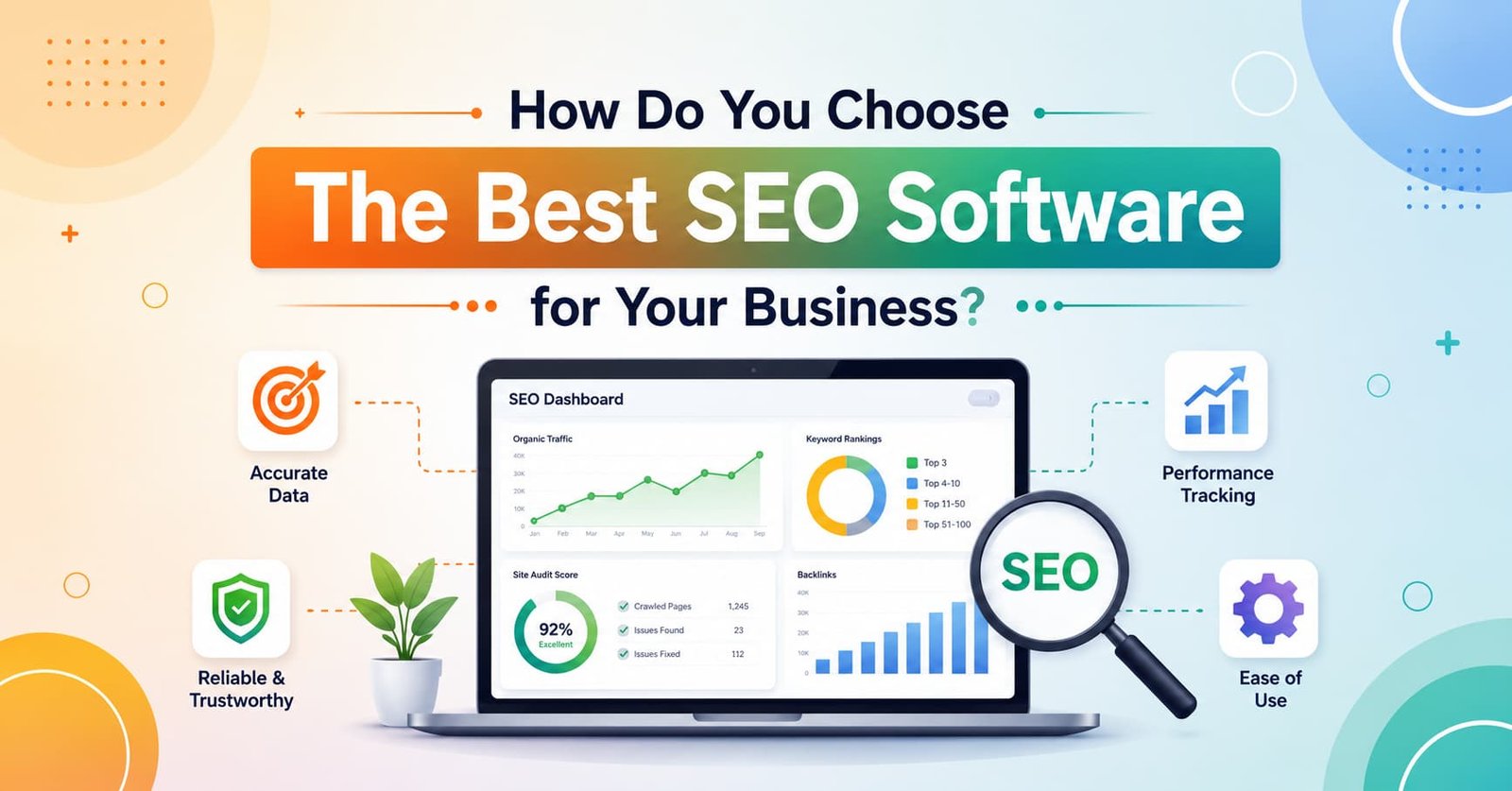
A best SEO Software toolbar is a browser extension or built-in software feature that shows you live SEO data rankings, backlinks, page speed, meta tags, and more right while you’re browsing a website, without switching tabs. It’s one small piece of a much bigger picture: choosing the right full SEO software stack for your business, which usually combines a toolbar, a dashboard platform, an SEO audit free tool, and sometimes SEO plugins for WordPress. This guide walks through all of it, so you can pick tools that actually fit how you work instead of just buying whatever’s trending.
The Core Components of SEO Software
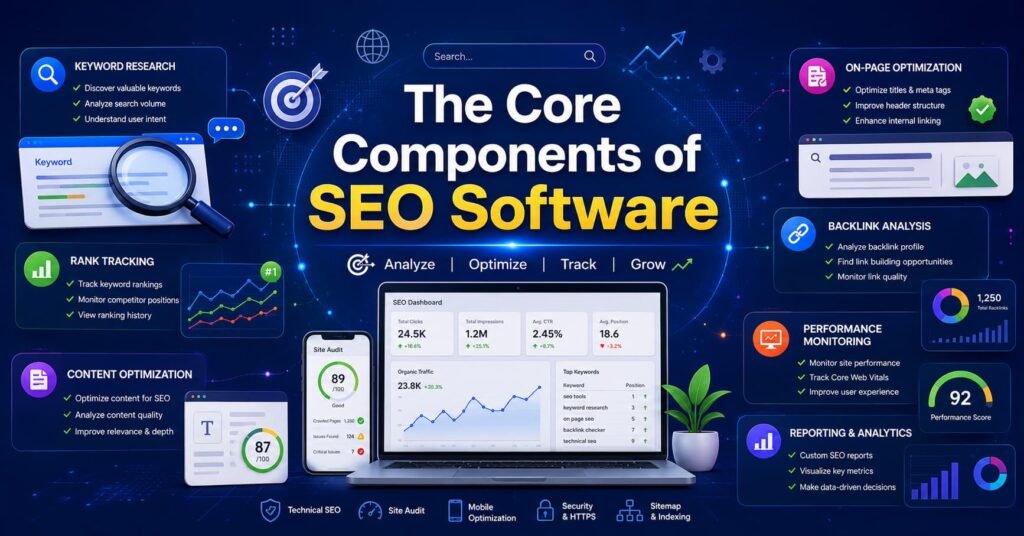
When people say “SEO software,” they usually mean a bundle of separate tools working together. Here are the core pieces, with a simple checklist for each so you know what to look for.
1. The SEO Toolbar (Browser Extension)
This is a lightweight extension for Chrome, Firefox, or Edge that overlays SEO data on any page you visit. As part of the best SEO software lineup,It’s the fastest way to check a competitor’s site or your own page without opening a full dashboard.
Checklist – what a good SEO toolbar should offer:
- On-page data (title tag, meta description, headings, word count) shown instantly
- Domain authority / page authority or an equivalent trust score
- Backlink count and referring domains at a glance
- Structured data / schema markup detection
- Mobile-friendliness and page speed indicators
- Export or copy-to-clipboard for quick reporting
- Free tier that doesn’t require a credit card
2. The All-in-One SEO Platform
This is the “command center” of the best SEO software category tools likeSemrush, Ahrefs, Moz, and similar tools fall here. It handles keyword research, rank tracking, site audits, and competitor analysis in one dashboard.
Checklist:
- Keyword research with search volume and difficulty scores
- Rank tracking across desktop and mobile
- Site-wide technical audit (crawl errors, broken links, duplicate content)
- Competitor gap analysis
- Backlink monitoring and disavow tools
- Reporting you can send to clients or your boss
3. The SEO Audit Free Tool
Almost every business starts here, and for good reason, it’s zero-risk. An SEO audit free tool often included in the Best SEO Software platforms, scans your site and flags technical problems (broken links, missing alt tags, slow load times, duplicate titles) without asking for payment upfront.
Checklist:
- Full-site crawl, not just a single-page check
- Clear severity ratings (critical vs. minor issues)
- Core Web Vitals / page speed scoring
- Mobile usability check
- A downloadable or shareable report
- No hidden paywall halfway through the scan
4. SEO Plugins for WordPress
“If your site runs on WordPress, some of the best SEO software options like Yoast, Rank Math, or All in One SEO handle the on-page basics directly inside your content editor: meta tags, sitemaps, readability, and schema, all without needing a developer. Choosing the best SEO software for your WordPress site means these essential tasks are covered right out of the box, making it one of the easiest ways to stay SEO-ready without hiring extra help. That’s why so many site owners consider a solid SEO plugin the best SEO software investment they can make.”
Checklist:
- Real-time content and readability scoring as you write
- Automatic XML sitemap generation
- Schema markup built in (reviews, FAQs, breadcrumbs)
- Redirect manager for fixing broken URLs
- Compatibility with your page builder and theme
- Doesn’t slow down your site’s load time
5. Rank Tracking & Reporting Tools
Separate from full platforms, some businesses use standalone rank trackers to monitor daily position changes for specific keywords, often layered on top of the best SEO Software tools mentioned above.
Checklist:
- Daily or weekly ranking updates
- Local rank tracking (by city or zip code) if you serve local customers
- Historical ranking graphs
- Alerts when rankings drop suddenly
- Competitor rank comparison on the same keyword list
- Automated report scheduling (weekly/monthly emails)
6. Backlink & Competitor Analysis Tools
These tools track who links to your site (and your competitors’ sites), flag toxic or spammy links, and reveal content gaps you haven’t covered yet. Backlink and competitor analysis is a core part of most paid best SEO Software suites, but it’s rarely included in free plans.
Checklist:
- New and lost backlink alerts
- Toxic link scoring with a disavow-file export
- Competitor backlink gap reports
- Anchor text distribution overview
- Referring domain authority breakdown
Types of SEO Software: The Main Categories to Know
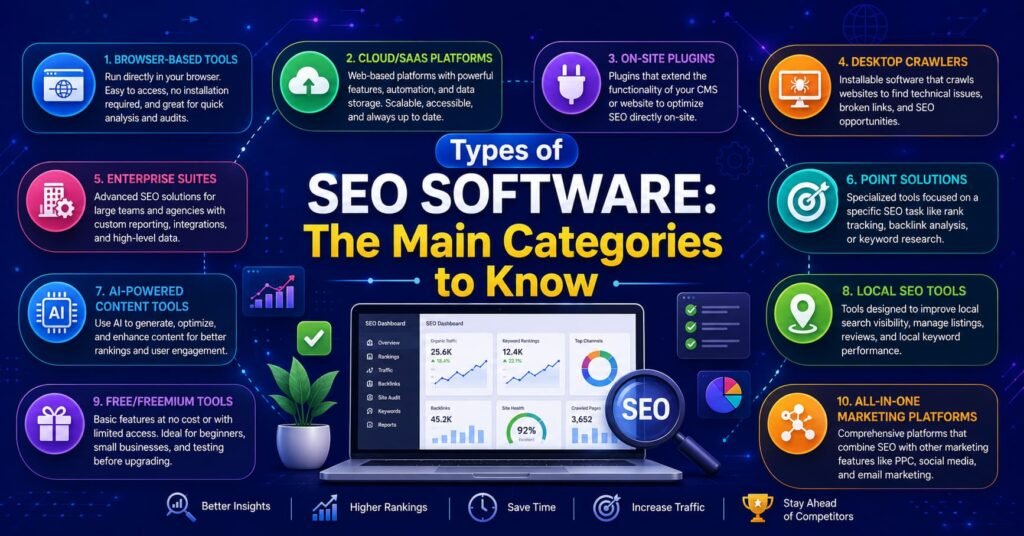
Beyond individual tools, it helps to understand the broad categories SEO software falls into. Most businesses end up combining two or three of these rather than relying on just one.
Follow Us Instagram
- Browser-based tools:are among the best SEO software options for quick, on-page checks fast, often free, but limited in depth and history compared to full best SEO software platforms.”
- Cloud/SaaS platforms: Subscription dashboards (Semrush, Ahrefs, Moz) that store historical data, run scheduled crawls, and handle keyword research at scale.
- On-site plugins: Code that lives inside your website’s backend, SEO plugins for WordPress are the most common example, and directly edits meta tags, sitemaps, and schema.
- Desktop crawlers: Standalone software (like Screaming Frog) installed locally, built for deep technical audits on demand rather than continuous monitoring.
- Enterprise suites: Large-scale platforms with API access, custom integrations, and dedicated support, priced for organizations managing hundreds or thousands of pages.
- Point solutions: Single-purpose tools that do one job very well, a rank tracker, a backlink checker, or a single SEO audit free tool, often stitched together instead of buying one big platform.
- AI-powered content tools: A newer category that uses machine learning to suggest topics, optimize on-page copy, and predict ranking potential before you publish, increasingly bundled into the best SEO software suites as a differentiator.
- Local SEO tools: Focused specifically on Google Business Profile optimization, citation building, and local pack rankings, essential for brick-and-mortar businesses rather than purely content-driven sites.
- Free/freemium tools: Google Search Console, Google Analytics, and Bing Webmaster Tools fall here, offering genuine first-party data at no cost but lacking the competitor insights paid tools provide.
- All-in-one marketing platforms: Tools like HubSpot that bundle SEO features alongside CRM, email, and social media management, useful if you want fewer logins even if the SEO depth is shallower than a dedicated platform.
Use Cases: Which Setup Fits Which Business?
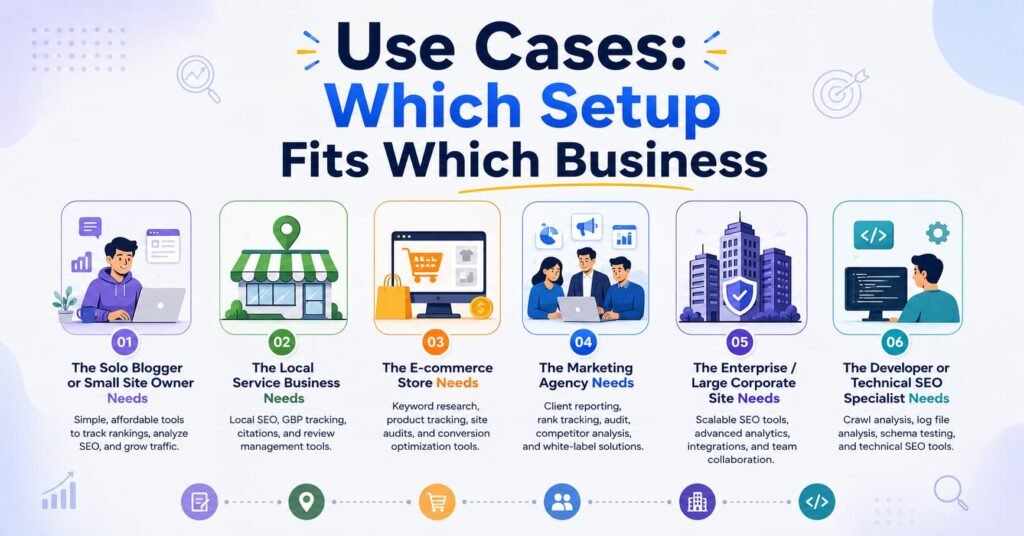
Not every business needs the same combination of tools. Here’s a breakdown of common use cases and what each one typically needs.
1. The Solo Blogger or Small Site Owner Needs: a browser toolbar for quick checks, an best SEO Software audit free tool for occasional health checks, and an SEO plugin if on WordPress. Rarely needs a full paid platform, since traffic and content volume are usually too small to justify the cost.
2. The Local Service Business (plumber, dentist, gym) Needs: local rank tracking, Google Business Profile optimization tools, and basic on-page SEO plugins. Backlink analysis matters less than local citations, reviews, and map-pack visibility.
3. The E-commerce Store Needs: bulk keyword research, product page audits at scale, and technical best SEO Software that catch duplicate content across thousands of SKUs. A full best SEO Software suite is almost mandatory here, since manual checks don’t scale past a few hundred products.
4. The Marketing Agency Needs: white-label reporting, multi-client dashboards, and heavy-duty seo tools for competitor analysis across dozens of accounts simultaneously. Cost-per-client matters a lot in tool selection, since margins shrink fast if one platform is billed per seat.
5. The Enterprise / Large Corporate Site Needs: Enterprise-grade platforms (BrightEdge, Conductor-style tools) with API access, custom integrations, and dedicated account support. At this level, the best SEO Software decision often has less to do with feature comparisons and more to do with procurement, since budgets here often run into six figures annually and involve IT and legal, not just marketing.
6. The Developer or Technical SEO Specialist Needs: deep-crawl tools (like Screaming Frog), log file analyzers, and toolbars that expose raw technical data (HTTP headers, redirect chains, canonical tags) rather than simplified dashboards. Unlike marketer-focused platforms, the best SEO software for this role prioritizes raw data access and export flexibility over polished visuals.
How It Actually Works: Step by Step
Here’s what actually happens when you use a typical SEO software stack, from install to insight.
- Install the toolbar first. Add the browser extension to Chrome or Firefox. This gives you an immediate, no-commitment way to see best SEO software signals on any page.
- Run a free audit on your own site. Use an best SEO software audit free tool to get a baseline, this is your “before” snapshot of technical health.
- Fix the technical basics. Address broken links, slow pages, and missing meta tags flagged by the audit before spending money on anything advanced.
- Install SEO plugins for WordPress (if applicable). This handles ongoing on-page optimization automatically as you publish new content.
- Choose one all-in-one platform. Pick a single main dashboard for keyword research and rank tracking, avoid running three overlapping subscriptions.
- Set up rank tracking for your priority keywords. Track 10-50 keywords that matter most to revenue, not every possible phrase.
- Review data weekly, not daily. best SEO software changes slowly; checking rankings every hour just creates anxiety without new information.
- Re-audit monthly or quarterly. Technical issues creep back in as sites grow, so repeat the audit step on a schedule.
Pros and Cons – Honest Numbers Included
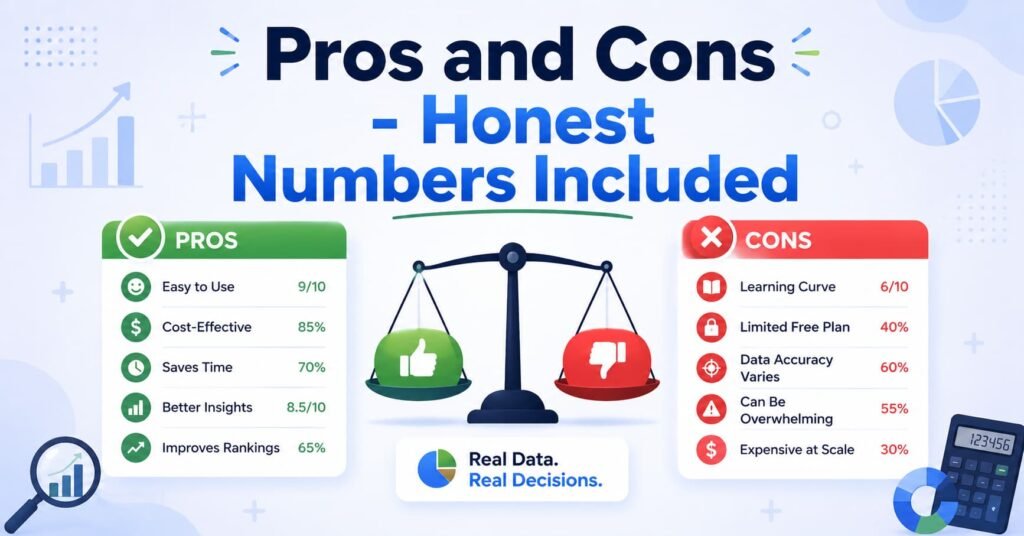
Pros:
- Modern SEO tools genuinely save time, a single crawl can flag hundreds of issues that would take a human days to find manually.
- The best SEO software market has grown fast: industry estimates put the global best SEO software market at roughly $96–98 billion in 2026, expanding at over 13% a year, meaning more competition among vendors and better free tiers than five years ago.
- SEO consistently delivers strong return on investment; industry surveys report average best SEO software ROI in the range of 700%+ across many sectors, with some sectors like financial services reportedly exceeding 1,000%.
- Free tiers (audit tools, basic toolbars) let small businesses start with zero budget.
- WordPress plugins put real best SEO software control in non-technical hands, no developer required for basic fixes.
Cons:
- Paid platforms are expensive: enterprise-level best SEO software programs can run $100,000+ annually, and even mid-tier tools often cost $100-$500/month per seat.
- Free tools frequently cap the number of pages crawled or keywords tracked, which can hide problems on larger sites.
- Too many overlapping tools create “dashboard fatigue” many small teams pay for 2-3 tools that do 80% of the same thing.
- Data isn’t always accurate across tools; different platforms often show different keyword volumes or authority scores for the same page, which can be confusing for beginners.
- AI-driven search results (like Google’s AI Overviews) are changing the game, some data suggests AI Overviews now appear in roughly half of Google searches and can reduce click-through rates on top-ranking pages by around a third, meaning traditional rank-tracking numbers don’t tell the whole traffic story anymore.
- Plugin bloat on WordPress sites can actually slow page load speed if not configured carefully, working against the very best SEO software goals the plugin is meant to help.
How SEO Toolbars Differ From Similar Tools People Confuse Them With
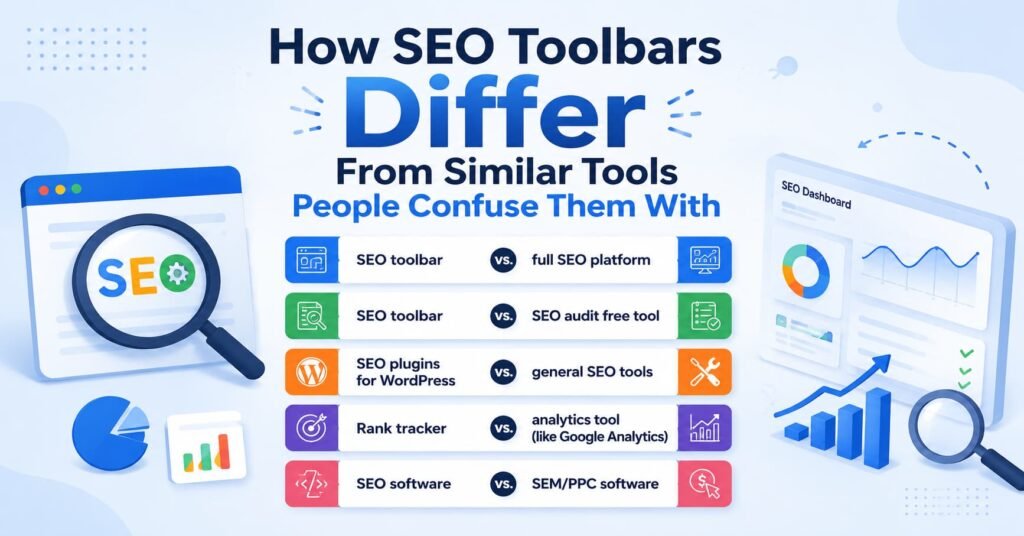
It’s easy to mix these up, so here’s a clear breakdown:
- SEO toolbar vs. full SEO platform: A toolbar shows quick, surface-level data on the page you’re currently viewing. A full platform (like a paid Semrush or Ahrefs subscription) stores historical data, tracks trends over time, and lets you research thousands of keywords, the toolbar can’t do that on its own.
- SEO toolbar vs. SEO audit free tool: A toolbar checks one page at a time as you browse. An audit tool crawls your entire site automatically and produces a structured report, it’s built for depth, not quick browsing checks.
- SEO plugins for WordPress vs. general SEO tools: Plugins live inside your website’s backend and directly edit your content’s meta tags and sitemaps. General seo tools (toolbars, platforms) sit outside your site and only observe or analyze it, they don’t make changes for you.
- Rank tracker vs. analytics tool (like Google Analytics): A rank tracker tells you where you show up in search results for specific keywords. An analytics tool tells you what happens after someone clicks, how long they stayed, what they did next. They’re complementary, not interchangeable.
- SEO software vs. SEM/PPC software: best SEO software tools focus on unpaid, organic rankings. SEM or PPC tools (like Google Ads Editor) manage paid advertising campaigns. Some platforms blend both, but the underlying data and goals are different.
Q&A: Common Questions People Search For
Q: What’s the best free SEO toolbar to start with?
A: Look for one with on-page data, authority scores, and backlink counts built in, and confirm it doesn’t require payment info to install. Most reputable options offer a genuinely usable free tier, test two or three side by side on the same page before committing to one.
Q: Do I need to pay for SEO software, or can free tools be enough?
A: For a small site or blog, free tools (a toolbar plus a free audit tool plus a WordPress plugin) can realistically cover 80% of what you need. Paid platforms become worthwhile once you’re tracking dozens of keywords, managing multiple sites, or need historical trend data.
Q: How often should I run an SEO audit?
A: Monthly for actively growing sites, quarterly for stable ones. Always run one immediately after a major site redesign, CMS migration, or domain change.
Q: Which SEO plugin is best for WordPress – Yoast or Rank Math?
A: Both cover the essentials well (meta tags, sitemaps, readability). Rank Math tends to include more features in its free tier, while Yoast has a longer track record and larger support community. Try the free version of each on a staging site before deciding.
Q: Can SEO toolbars hurt my site’s performance?
A: No, toolbars are browser extensions that run on your computer while you browse, not code installed on your website, so they have zero effect on your site’s actual speed or performance.
Q: Is keyword ranking still the most important SEO metric in 2026?
A: It’s still important, but less complete than before. With AI-generated answer summaries now appearing in roughly half of Google searches and reducing clicks even for top-ranked pages, many businesses are now tracking visibility in AI answers alongside traditional rankings, not instead of them.
Q: How much should a small business budget for SEO software monthly?
A: Many small-to-mid businesses land somewhere between $50 and a few hundred dollars a month once they move past free tools, though budgets vary widely by industry and competitiveness of their keywords.
Q: What’s the difference between an SEO plugin and hiring an SEO agency?
A:A plugin automates technical and on-page tasks (meta tags, sitemaps, schema) but doesn’t do strategy, content planning, or link building for you. An agency handles the human strategy layer, plugins and tools are what agencies use to execute that strategy faster.
Helpful Tools & Resources
A starter list to explore, organized by category:
- Browser toolbars: popular options include free browser-extension best SEO software toolbars offered by major SEO platforms, plus built-in browser developer tools for checking page source and headers.
- Free audit tools: most major SEO platforms (Semrush, Ahrefs, Moz) offer a limited free site audit; Google Search Console and Google’s PageSpeed Insights are free and essential regardless of what else you use.
- All-in-one platforms: Semrush, Ahrefs, Moz Pro, and Screaming Frog (desktop crawler) are widely used across business sizes.
- WordPress plugins: Yoast SEO, Rank Math, and All in One best SEO software are the three most widely installed options.
- Free official resources: Google Search Console, Google Analytics, and Google’s own Search Central documentation are free, direct-from-the-source references worth bookmarking before paying for anything else.
Simple “How to Get Started” Checklist
- Install one free SEO toolbar in your browser
- Set up Google Search Console for your site (it’s free and non-negotiable)
- Run one full SEO audit free tool scan to get your baseline
- Fix the top 5 critical issues the audit flags
- Install an SEO plugin if your site runs on WordPress
- Pick 10-20 priority keywords to track going forward
- Choose one paid platform only if free tools genuinely aren’t enough
- Schedule a recurring monthly or quarterly re-audit
- Review data weekly, not obsessively daily
Starting small and adding tools only as you outgrow the free tier is the most cost-effective way to build a solid SEO software stack, you’ll know exactly why each new tool earns its place in your budget.
Know more About Us

Hi, I’m Rufqha, the SEO Manager at AIBlogMind. I focus on building content strategies that help websites improve visibility, attract the right audience, and create sustainable organic growth. My expertise includes on-page SEO, keyword research, content optimization, and aligning SEO with user experience and business goals.