


SEO in 2026: What Is the Best Way to Improve It?
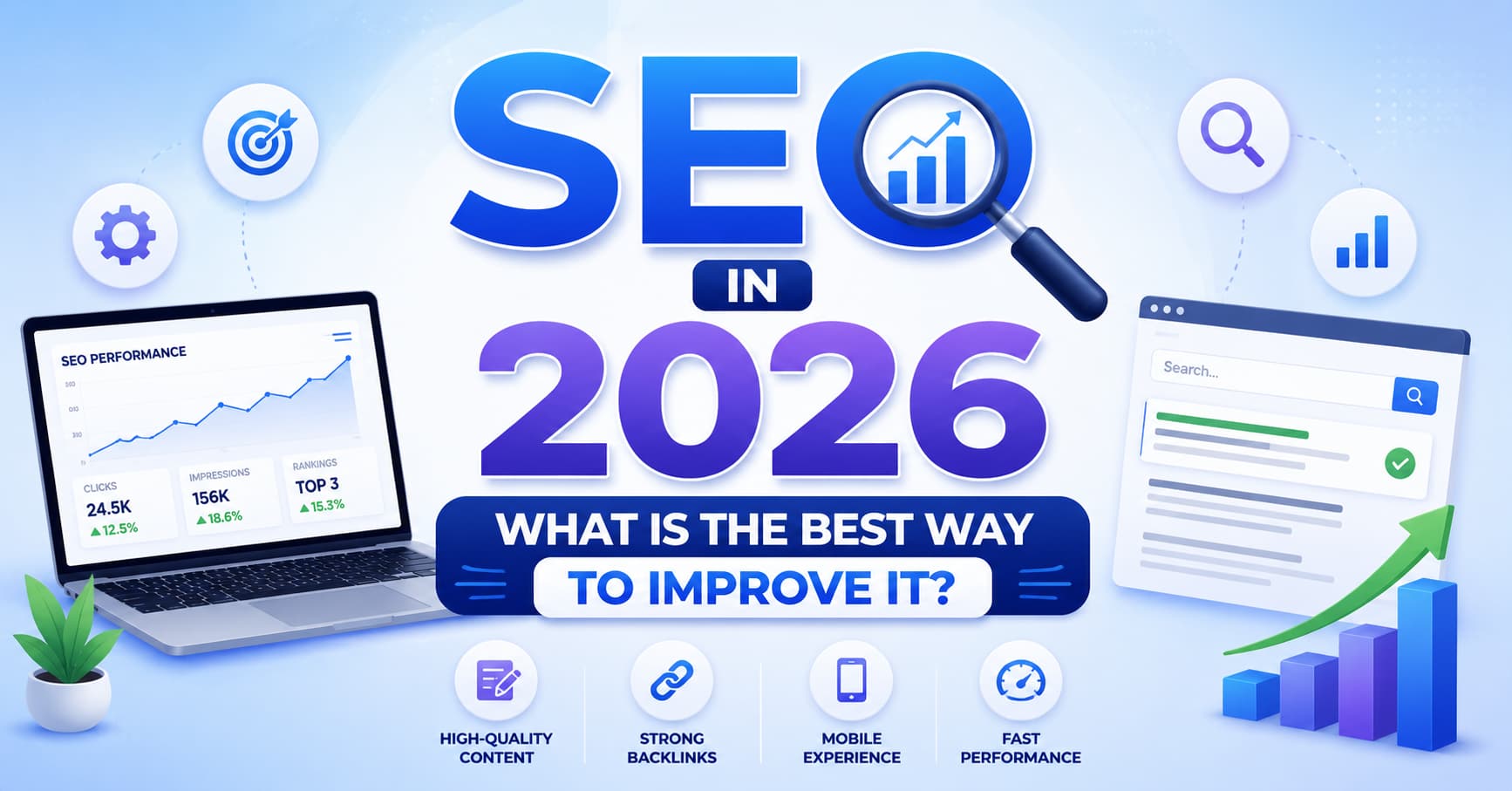
Search Engine Optimization (SEO) in 2026 means improving how easily people (and now AI assistants like ChatGPT, Gemini, and Perplexity) can find your website in search results. The best way to improve it is to combine the right mix of top SEO tools – for keyword research, technical audits, content optimization, and AI-visibility tracking – with consistent, high-quality content. No single tool does everything well, so most successful sites use a small “stack” of 2–4 tools rather than one all-in-one platform. This guide breaks down exactly what those tools do, how they work together, and how to get started even on a small budget.
Quick Definition: What Are SEO Tools?
SEO tools are software platforms that collect data about how search engines see your website and your competitors, then turn that data into specific, actionable recommendations. They help with keyword research, technical site health, content quality, backlinks, and increasingly how often your brand shows up inside AI-generated answers. Think of them as a diagnostic kit and a GPS combined: they tell you what’s broken and point you toward what to fix next.
The Main Parts of a Modern SEO Toolkit
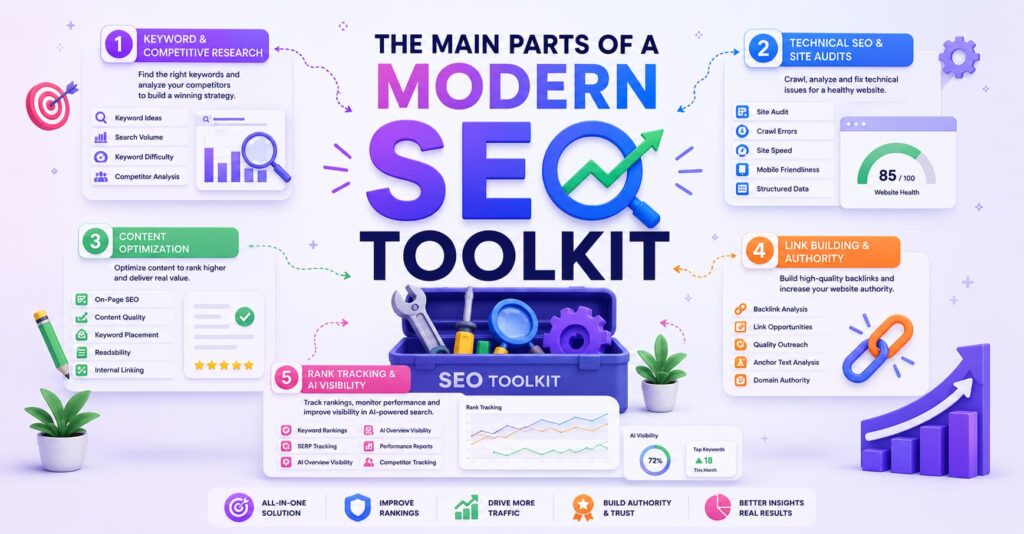
A complete SEO strategy in 2026 is really made up of five core pieces. You don’t need every single one from day one, but understanding each part helps you build a seo tools list that actually fits your needs instead of paying for features you’ll never touch.
1. Keyword & Competitive Research
This is where you figure out what people are actually typing into search engines (and asking AI chatbots).
Checklist:
- Identify 10–20 “seed” keywords related to your business
- Check monthly search volume and difficulty for each
- Look at what your top 3 competitors rank for that you don’t
- Group keywords by search intent (informational, commercial, transactional)
- Note any AI-answer opportunities (questions people ask ChatGPT/Perplexity)
2. Technical SEO & Site Audits
This covers the “under the hood” health of your site speed, crawlability, broken links, mobile-friendliness, and structured data.
Checklist:
- Run a full site crawl to find broken links and redirect chains
- Check Core Web Vitals (loading speed, interactivity, visual stability)
- Confirm your XML sitemap and robots.txt are correct
- Verify mobile usability
- Add or fix schema markup (structured data)
3. Content Optimization
Once you know your keywords, you need to write content that actually satisfies the searcher and is structured so search engines and AI models can understand it.
Checklist:
- Match content format to search intent (guide, list, comparison, product page)
- Include the target keyword naturally in the title, headers, and intro
- Cover related subtopics and entities competitors are missing
- Add clear headings, bullet points, and short paragraphs
- Update or “refresh” older content at least once a year
4. Link Building & Authority
Backlinks (other sites linking to yours) remain one of the strongest ranking signals, though quality now matters far more than quantity.
Checklist:
- Audit your current backlink profile for toxic or spammy links
- Identify link-worthy content ideas (original data, tools, guides)
- Reach out to relevant sites for guest posts or mentions
- Monitor new and lost backlinks monthly
- Disavow harmful links if necessary
5. Rank Tracking & AI Visibility
This is how you measure whether all the above work is actually paying off – in traditional search results and inside AI-generated answers.
Checklist:
- Track keyword rankings weekly or daily
- Segment tracking by device and location if relevant
- Monitor whether your content is cited in AI Overviews or chatbot answers
- Set up alerts for major ranking drops
- Review reports monthly to spot trends, not just single-day noise
5 Types of SEO Tools (and When to Use Each)
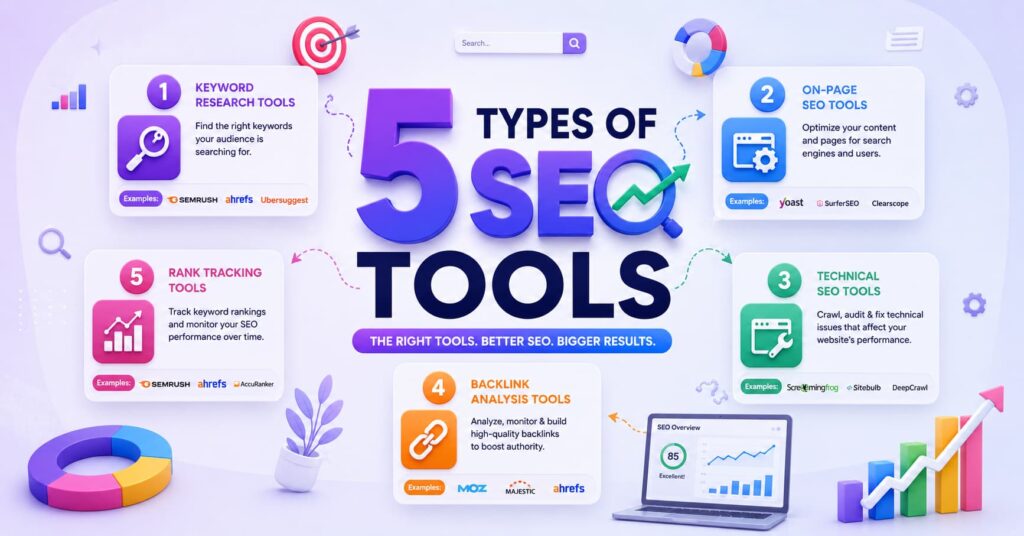
Not every tool is built the same way. Here’s a quick breakdown of the main categories you’ll run into on any seo tools list.
- All-in-one suites (e.g., broad platforms combining keyword research, audits, and tracking) are best for teams that want one dashboard instead of juggling five logins, though they can be pricier and feel overwhelming for beginners.
- Rank trackers – specialized tools that focus purely on tracking where your keywords sit in search results, often with daily updates and location-level detail. Best for agencies managing many clients or local businesses tracking multiple city rankings.
- Technical auditors / site crawlers – tools that scan your entire site for broken links, duplicate content, and crawl errors. Best for larger sites (500+ pages) where manual checking isn’t realistic.
- Content optimization tools – AI-assisted editors that compare your draft against top-ranking pages and suggest terms, structure, and length. Best for content teams publishing frequently who want consistency.
- Free first-party tools – Google Search Console, Google Analytics, and Google’s Keyword Planner. Best for anyone just starting out, since they’re free and come directly from the search engine itself.
- AI-search visibility trackers – a newer category monitoring whether your brand gets mentioned inside ChatGPT, Gemini, or Perplexity answers. Best for brands worried about “zero-click” searches, where users get an answer without ever clicking through to a website.
How It Actually Works: Step-by-Step
Follow Us on LinkedIn
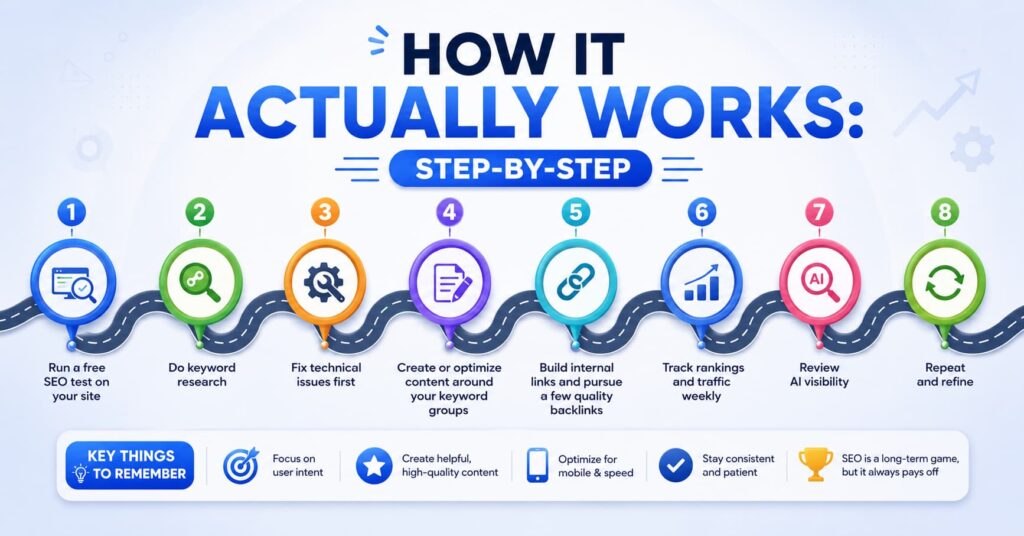
Here’s a realistic, beginner-friendly workflow for using SEO tools to actually improve rankings.
Step 1: Run a free SEO test on your site. Start with a free seo test (most major tools offer a limited free scan) to get a baseline health score – this usually flags obvious technical issues like slow load times or missing meta descriptions.
Step 2: Do keyword research. Use a keyword tool to find search terms with decent volume and realistic difficulty for your site’s current authority level. Group them by topic.
Step 3: Fix technical issues first. Before writing new content, fix crawl errors, broken links, and speed problems. Ranking well on a broken foundation rarely works.
Step 4: Create or optimize content around your keyword groups. Write content that fully answers the search intent, using an optimization tool to check coverage against top-ranking competitors.
Step 5: Build internal links and pursue a few quality backlinks. Link your new content to related pages on your own site, and reach out for a handful of relevant external mentions.
Step 6: Track rankings and traffic weekly. Watch which pages move up, which stay flat, and which need another content refresh.
Step 7: Review AI visibility. Check whether your content is being surfaced or cited in AI-generated answers, and adjust with clearer structure, FAQs, and direct answers if not.
Step 8: Repeat and refine. SEO isn’t a one-time project – revisit steps 2–7 every quarter as competitors and algorithms change.
Pros and Cons of Using SEO Tools
Being honest here matters more than hype, so let’s look at both sides with real numbers where available.
Pros
- Time savings: Manually checking rankings, backlinks, and technical issues across hundreds of pages by hand is nearly impossible; tools automate this in minutes.
- Data depth: Leading keyword databases now index well over 25 billion keywords and tens of trillions of backlinks – far beyond what any person could track manually.
- Competitive insight: You can see what’s working for competitors instead of guessing.
- Free entry point: Google Search Console and Google Analytics are genuinely powerful and cost nothing.
- Measurable ROI: Many teams report noticeably stronger SEO performance after adopting structured tools and AI-assisted workflows, since organic search still drives roughly half of all website traffic industry-wide.
- Faster troubleshooting when something breaks: If traffic suddenly drops, tools help you quickly narrow down whether it’s a technical issue, an algorithm update, or a content problem, instead of guessing for weeks.
- Easier collaboration across teams: Shared dashboards mean marketing, dev, and content teams can all see the same data, reducing miscommunication about what needs fixing and who owns it.
- Historical trend data: Most tools store months or years of ranking and traffic history, making it easier to spot seasonal patterns or measure the long-term impact of a redesign or content overhaul.
Cons
- Cost adds up fast: Premium all-in-one platforms often run $130–$500+ per month, and agencies frequently pay for two or three tools simultaneously to cover gaps.
- Data isn’t always accurate: Independent testing has found some newer AI-visibility features significantly under-report actual brand mentions compared to manual tracking – a reminder to double-check surprising numbers.
- Learning curve: Full-suite tools can have dozens of sub-sections, which is overwhelming for beginners and can lead to underused subscriptions.
- No tool replaces strategy: A tool can tell you what’s wrong, but it can’t write great content or build real relationships for backlinks – that’s still on you.
- Overlap and waste: Many teams unknowingly pay for the same feature (like basic rank tracking) in two different subscriptions.
- False sense of completeness: Green checkmarks and high “health scores” can create overconfidence, a tool might flag a page as technically perfect while the content itself is thin or unhelpful.
- Vendor lock-in risk: Once a team builds workflows and historical data around one platform, switching tools later can mean losing continuity in tracking and retraining staff on a new interface.
- AI-visibility metrics are still immature: Because tracking brand mentions inside chatbot answers is a newer category, methodologies vary a lot between vendors, making it hard to compare numbers across tools or trust them as a single source of truth.
SEO Tools vs. Similar/Confusing Topics
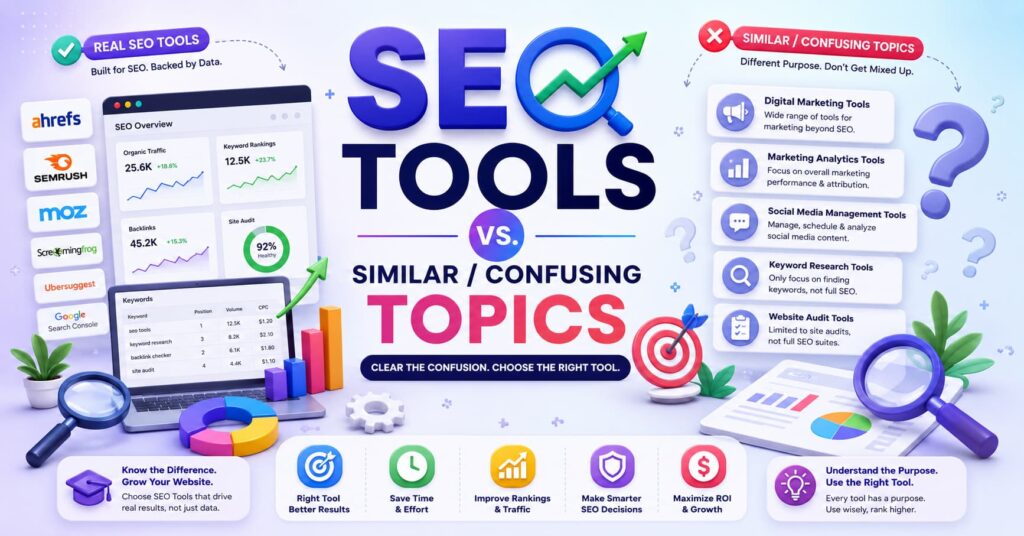
People often mix up SEO tools with related but different things. Here’s how they differ:
- SEO Tools vs. SEM/PPC Tools: SEO tools focus on unpaid, organic rankings. SEM (Search Engine Marketing) or PPC tools manage paid ads. Some platforms offer both, but the strategies and metrics are different.
- SEO Tools vs. WordPress SEO Plugins: General seo tools (like keyword research or backlink platforms) work independently of your website’s platform, gathering external data. WordPress SEO plugins (like Yoast or Rank Math), on the other hand, live inside your WordPress dashboard and help you apply on-page fixes directly, meta descriptions, sitemaps, readability checks – as you write. Many sites use both: a research tool for strategy, and a WordPress SEO plugin for execution.
- SEO Tools vs. Analytics Tools: Analytics tools (like Google Analytics) tell you what happened after someone found your site – bounce rate, time on page, conversions. SEO tools focus more on visibility and rankings before the click happens.
- SEO vs. GEO (Generative Engine Optimization): SEO optimizes for traditional search engine results pages. GEO is the newer practice of optimizing content so it gets cited inside AI-generated answers. They overlap heavily, but GEO focuses more on structured, citation-ready content and entity clarity than on classic ranking factors like backlinks.
- Technical SEO vs. Content SEO: Technical SEO fixes how a search engine can crawl and read your site. Content SEO ensures what’s on the page actually satisfies the searcher. Both matter – one without the other rarely produces lasting results.
- SEO Tools vs. Social Media Analytics Tools: Social media analytics tools measure engagement, reach, and follower behavior on platforms like Instagram or LinkedIn. SEO tools focus specifically on search engine (and now AI-assistant) visibility. A post can go viral on social without moving the needle on organic search rankings at all, so the two shouldn’t be used as substitutes for one another
- SEO Tools vs. Local SEO Tools: General SEO tools track rankings and visibility broadly, often nationally or globally. Local SEO tools (like those managing Google Business Profile listings, local citations, and map-pack rankings) focus narrowly on location-based searches, think “plumber near me.” A business with physical locations usually needs both, since ranking well nationally doesn’t guarantee showing up in local map results.
- SEO Tools vs. Content Management Systems (CMS): A CMS like WordPress, Webflow, or Shopify is the platform where your content actually lives and gets published. SEO tools analyze and optimize what’s already on that platform (or what should be added) they don’t host or publish content themselves. Some CMS platforms have basic SEO features built in, but dedicated SEO tools go much deeper.
Q&A: Common Questions About SEO Tools
Q: What is the single best SEO tool to start with?
A: If you’re brand new, start with Google Search Console – it’s free, first-party, and gives direct insight into how Google is actually indexing and ranking your site. Add a paid keyword research tool once you understand the basics.
Q: Do I really need to pay for an SEO tool, or can I get by with free ones?
A: Free tools like Google Search Console, Google Analytics, and Google Keyword Planner can genuinely take you far, especially for small sites. Paid tools become more valuable as your site grows and you need competitor data or daily rank tracking.
Q: What’s a free SEO test, and is it worth doing?
A: A free seo test is a limited, no-cost scan most tools offer that checks basics like page speed, broken links, and meta tag issues. It’s absolutely worth doing first – it gives you a baseline before you invest in a paid subscription.
Q: How long does SEO take to show results?
A: Most sites see meaningful movement within 3–6 months of consistent work, though competitive keywords can take longer. SEO is a compounding effort, not an instant fix.
Q: Are WordPress SEO plugins enough on their own?
A: For very small sites, a good WordPress SEO plugin can cover a lot of the basics (meta tags, sitemaps, readability). But it won’t do keyword research or competitor analysis, so pairing it with a dedicated research tool is recommended as you grow.
Q: How much should a small business budget for SEO tools? A: Many small businesses get solid results spending $0–$100/month by combining free Google tools with one affordable paid platform, rather than jumping straight to $300+/month enterprise suites.
Q: Do AI search tools (ChatGPT, Gemini, Perplexity) affect how I should use SEO tools?
A: Yes, with a large share of informational searches now showing AI-generated summaries before any links, it’s worth checking whether newer tools in your stack include AI-visibility or citation tracking, not just traditional rank tracking.
Q: Is one all-in-one tool better than several specialized tools?
A: It depends on your team size and budget. All-in-one platforms save time switching between logins, but specialized tools are often cheaper and more accurate within their specific niche (like rank tracking or backlink analysis).
Helpful Tools & Resources
Here’s a starter seo tools list covering both free and paid options across categories:
Free tools:
- Google Search Console – indexing, ranking, and click data straight from Google
- Google Analytics (GA4) – traffic and behavior data
- Google Keyword Planner – basic keyword volume data
- Google’s PageSpeed Insights – Core Web Vitals and speed testing
- Bing Webmaster Tools – similar insights for Bing search
Paid all-in-one platforms:
- Broad SEO suites offering keyword research, site audits, rank tracking, and backlink analysis in one dashboard
- Suites with strong AI-visibility add-ons for tracking brand mentions across chatbots
Specialized tools:
- Dedicated rank trackers with daily updates and location-level targeting
- Site crawlers/auditors for large websites needing deep technical scans
- Content optimization editors that score drafts against top-ranking competitor pages
- Backlink-focused platforms for finding and monitoring referring domains
WordPress-specific:
- Popular wordpress seo plugins that handle meta tags, sitemaps, schema markup, and readability checks directly inside your WordPress dashboard
How to Get Started: A Simple Checklist
- Run a free seo test on your website to get a baseline
- Set up Google Search Console and Google Analytics (free)
- Pick 10–15 target keywords grouped by topic and intent
- Fix the top 3–5 technical issues your test uncovered
- Install a WordPress SEO plugin if your site runs on WordPress
- Optimize or create one piece of content per target keyword group
- Add internal links between related pages
- Choose one paid tool from your seo tools list if you need deeper competitor or rank data
- Set a recurring monthly check-in to review rankings, traffic, and AI visibility
- Refresh outdated content at least once a year
Improving your SEO in 2026 isn’t about chasing every new tool that launches — it’s about picking a small, reliable stack, following a consistent process, and checking your numbers regularly enough to catch problems (and opportunities) early.
Know more About Us

Hi, I’m Rufqha, the SEO Manager at AIBlogMind. I focus on building content strategies that help websites improve visibility, attract the right audience, and create sustainable organic growth. My expertise includes on-page SEO, keyword research, content optimization, and aligning SEO with user experience and business goals.